Methods in Java — practice: three programs that grow one small piece at a time
My first program with methods was a calculator where I had written every operation inside main… and then, when I added subtraction, I copy-pasted the addition block and just changed the sign. When I wanted to change how decimals were displayed, I had to edit it in four places, and I forgot one. That’s when I understood what methods are for: it’s not to make the code “pretty”, it’s so you only have to touch things once.
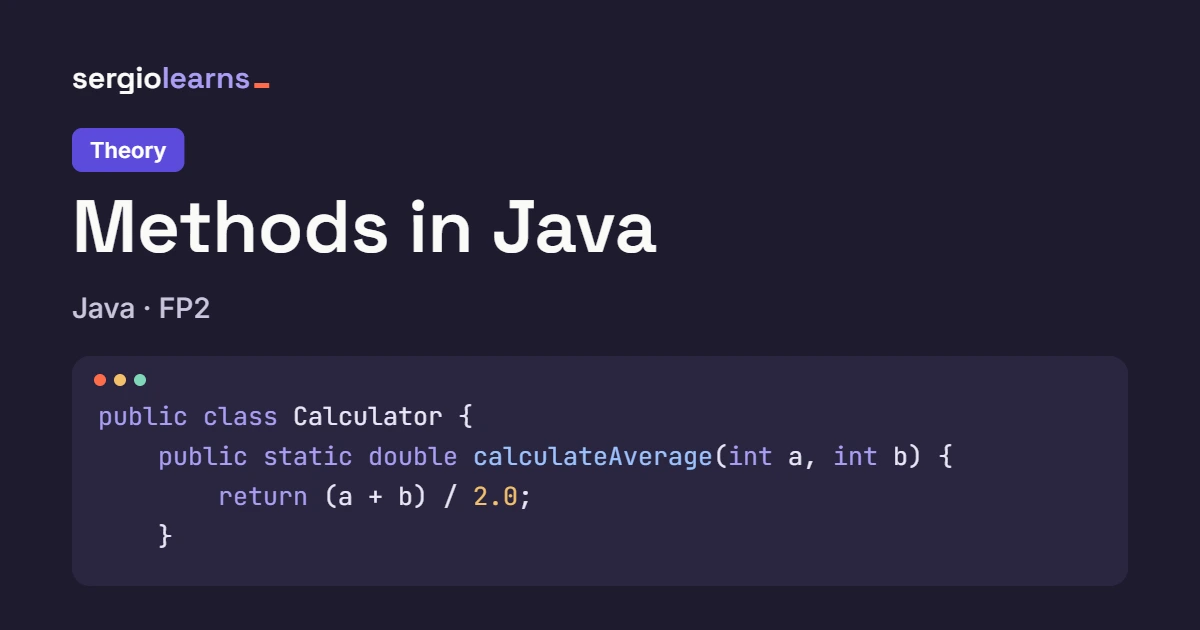
With the methods theory behind you, you already know what each piece of public static double add(...) means. Now comes the part that really convinces you: watching a program grow without turning into a mess. In today’s three programs, main stays short and clean, and the work is done by small methods with names that explain themselves. All three are compiled and tested, so the output you see is the real thing.
Table of Contents
Methods in java practice — Program 1: Calculator with methods
What it does: asks for two numbers, shows the sum, difference and product, and shows the division only if the second number isn’t 0.
Expected output with 8.5 and 4:
=== CALCULATOR ===
First number: 8.5
Second number: 4

8.5 + 4.0 = 12.50
8.5 - 4.0 = 4.50
8.5 * 4.0 = 34.00
8.5 / 4.0 = 2.13
And with 7 and 0, the last line becomes ✗ Cannot divide by 0.
How we think it through:
- Each operation is a method that takes two
doublevalues and returns adouble. That keeps the calculation separate from how it’s displayed. - Displaying the result repeats four times, and that’s exactly where I copy-pasted in my story. We put it in a private
voidmethod, because only this class uses it. - Division by 0 is checked in
main, before callingdivide.
import java.util.Scanner;

public class Calculator {

    // ---------- The four operations ----------
    // public: they're the "visible face" of the calculator.
    // static: for now, "that's just how it's done" (we'll cover it with classes).
    // double + double → double: they take two decimals and return one.

    public static double add(double a, double b) {
        return a + b;    // return sends the result back to whoever called the method
    }

    public static double subtract(double a, double b) {
        return a - b;
    }

    public static double multiply(double a, double b) {
        return a * b;
    }

    public static double divide(double a, double b) {
        return a / b;    // careful: with double, dividing by 0 does NOT fail, it gives "Infinity"
    }

    // ---------- How things are shown ----------
    // private: only used inside this class, it's an internal detail.
    // void: it does something (prints) but doesn't return anything.
    private static void showResult(String operation, double result) {
        // %.2f = two decimals; %n = line break. The format lives HERE, in a single place
        System.out.printf("%s = %.2f%n", operation, result);
    }

    // Overloading: same name, but with ONE parameter it's used to show warnings.
    // Java picks the version by looking at how many arguments (and of what type) you pass.
    private static void showResult(String warning) {
        System.out.println("✗ " + warning);
    }

    public static void main(String[] args) {
        Scanner sc = new Scanner(System.in);

        System.out.println("=== CALCULATOR ===");
        System.out.print("First number: ");
        double a = sc.nextDouble();
        System.out.print("Second number: ");
        double b = sc.nextDouble();

        System.out.println();
        // Notice how short main is: it only calls methods with clear names
        showResult(a + " + " + b, add(a, b));
        showResult(a + " - " + b, subtract(a, b));
        showResult(a + " * " + b, multiply(a, b));

        // We validate BEFORE calling divide, just like in control flow
        if (b == 0) {
            showResult("Cannot divide by 0");                  // 1-parameter version
        } else {
            showResult(a + " / " + b, divide(a, b));           // 2-parameter version
        }

        sc.close();
    }
}
Dividing by 0 with double doesn’t fail: Java returns Infinity and the program carries on happily, printing an absurd result. With int it does throw an exception (ArithmeticException), but with decimals it doesn’t. That’s why the b == 0 check is on you, not on the language.
It’s natural to wonder:
- Why is
addpublicandshowResultprivate? Becauseaddis something other classes might want to use, whileshowResultis just how things get printed in here. If you change the format tomorrow, you don’t break anyone. - Why does the result show 2.13 instead of 2.125? Because
%.2frounds to two decimals. The stored number is still 2.125; only what’s displayed changes.
Methods in java practice — Program 2: Password validator
What it does: asks for a password and checks four requirements separately (8 characters or more, one uppercase letter, one digit, no spaces), showing which ones are met and the final verdict.
Expected output with Clave2026x:
=== PASSWORD VALIDATOR ===
Password: Clave2026x

--- Requirements ---
8 characters or more: ✓
At least one uppercase letter: ✓
At least one digit: ✓
No spaces: ✓

Valid password
With hello world, the last three requirements show ✗ and the verdict is Invalid password.
How we think it through:
- Each requirement is a
booleanmethod with a single responsibility. That way each one is easy to understand (and test) on its own. - An
isValidmethod combines them with&&. It’s the onlypublicone: the rest are internal pieces. mainonly reads the password and prints the list, with no logic inside
import java.util.Scanner;

public class PasswordValidator {

    // ---------- Small pieces: each one checks ONE thing ----------
    // All private: they're internal building blocks, not the class's API.
    // All return boolean: the answer is yes or no.

    private static boolean hasMinLength(String pw, int min) {
        return pw.length() >= min;    // the comparison itself already IS a boolean
    }

    private static boolean hasUppercase(String pw) {
        for (int i = 0; i < pw.length(); i++) {
            if (Character.isUpperCase(pw.charAt(i))) {
                return true;    // ONE uppercase letter is enough: we stop now, without checking the rest
            }
        }
        return false;    // if the loop ends without finding any, there are none
    }

    private static boolean hasDigit(String pw) {
        for (int i = 0; i < pw.length(); i++) {
            if (Character.isDigit(pw.charAt(i))) {
                return true;
            }
        }
        return false;
    }

    private static boolean hasSpaces(String pw) {
        return pw.contains(" ");    // contains returns true if the text appears inside
    }

    // ---------- The piece that joins them ----------
    // public: it's the one any other part of the program would use.
    public static boolean isValid(String pw) {
        // && stops as soon as one is false: if it's too short, it doesn't even look at the rest
        return hasMinLength(pw, 8)
                && hasUppercase(pw)
                && hasDigit(pw)
                && !hasSpaces(pw);    // ! because we want it NOT to have spaces
    }

    public static void main(String[] args) {
        Scanner sc = new Scanner(System.in);

        System.out.println("=== PASSWORD VALIDATOR ===");
        System.out.print("Password: ");
        String pw = sc.nextLine();    // nextLine because a password may contain spaces

        System.out.println();
        System.out.println("--- Requirements ---");
        // The ternary operator picks which symbol to print based on the boolean the method returns
        System.out.println("8 characters or more: " + (hasMinLength(pw, 8) ? "✓" : "✗"));
        System.out.println("At least one uppercase letter: " + (hasUppercase(pw) ? "✓" : "✗"));
        System.out.println("At least one digit: " + (hasDigit(pw) ? "✓" : "✗"));
        System.out.println("No spaces: " + (!hasSpaces(pw) ? "✓" : "✗"));

        System.out.println();
        System.out.println(isValid(pw) ? "Valid password" : "Invalid password");

        sc.close();
    }
}
You’ll see a return true in the middle of a loop inside hasUppercase. A return exits the whole method, not just the loop, so no break is needed. It’s the “found what I was looking for, done” pattern, and you’ll use it constantly.
It’s natural to wonder:
- Wouldn’t it be shorter to put everything in one giant
if? Yes, and it would be unreadable. With methods,isValidreads almost like a sentence, and if you add a new requirement tomorrow, you write one method and one line. - Why does
hasMinLengthreceive the 8 as a parameter? So the number isn’t “hidden” inside the method. If the minimum changes, you change it in the call, not deep inside.
Methods in java practice — Program 3: Semester report card
What it does: asks for the grade of three subjects (checking they’re between 0 and 10), and shows a report card with each one’s classification and the final average.
Expected output with grades 7.5, an 11 (which gets rejected), 9.5 and 6:
=== SEMESTER REPORT CARD ===
Grade for FP2: 7.5
Grade for IC2: 11
✗ The grade must be between 0 and 10
Grade for IC2: 9.5
Grade for AEDV: 6

--- Report card ---
FP2     7.50  Very Good
IC2     9.50  Outstanding
AEDV    6.00  Pass
-------------------
Average: 7.67 (Very Good)
How we think it through:
- Reading a grade with validation is a complete task that repeats three times, so it’s a method that returns the valid grade.
- Calculating the average takes an array and returns a number. Classifying takes a number and returns text.
- Printing the report card is a
voidmethod that uses the others. This is where you see methods calling other methods.
import java.util.Scanner;

public class ReportCard {

    // Receives the Scanner already created (it doesn't make a new one) and the message to show.
    // Returns the grade, but ONLY once it's valid: the loop doesn't let it escape earlier.
    private static double readGrade(Scanner sc, String message) {
        double grade;
        do {
            System.out.print(message);
            grade = sc.nextDouble();
            if (grade < 0 || grade > 10) {
                System.out.println("✗ The grade must be between 0 and 10");
            }
        } while (grade < 0 || grade > 10);    // repeats while the grade is NOT valid
        return grade;
    }

    // An array as a parameter: double[] grades. Returns the average as a double.
    private static double calculateAverage(double[] grades) {
        double sum = 0;
        for (int i = 0; i < grades.length; i++) {    // length works for ANY size
            sum += grades[i];
        }
        return sum / grades.length;
    }

    // Takes a number, returns text. Several returns, one per possible path.
    private static String classify(double grade) {
        if (grade >= 9) {
            return "Outstanding";
        } else if (grade >= 7) {
            return "Very Good";
        } else if (grade >= 5) {
            return "Pass";
        }
        return "Fail";    // if it didn't enter any if, it lands here: every path returns something
    }

    // void: prints the report card and returns nothing. It uses calculateAverage and classify.
    private static void printReport(String[] subjects, double[] grades) {
        System.out.println("--- Report card ---");
        for (int i = 0; i < subjects.length; i++) {
            // %-6s = text left-aligned in 6 slots; %5.2f = number in 5 slots, 2 decimals
            System.out.printf("%-6s %5.2f  %s%n", subjects[i], grades[i], classify(grades[i]));
        }
        double average = calculateAverage(grades);    // here another method gets called
        System.out.println("-------------------");
        System.out.printf("Average: %.2f (%s)%n", average, classify(average));
    }

    public static void main(String[] args) {
        Scanner sc = new Scanner(System.in);    // ONE Scanner for the whole program

        String[] subjects = {"FP2", "IC2", "AEDV"};
        double[] grades = new double[subjects.length];    // same size as the subjects

        System.out.println("=== SEMESTER REPORT CARD ===");
        for (int i = 0; i < subjects.length; i++) {
            grades[i] = readGrade(sc, "Grade for " + subjects[i] + ": ");
        }

        System.out.println();
        printReport(subjects, grades);

        sc.close();
    }
}
Creating a new Scanner(System.in) inside readGrade, or closing it with sc.close() inside a method. Closing a Scanner also closes System.in, and the next read fails with NoSuchElementException. That’s why the Scanner is created once in main, passed as a parameter, and only closed at the end, where it was created.
If your three methods are named after what they do (readGrade, calculateAverage, classify), main and printReport read almost like a recipe. When a method forces you to write a comment to explain what it does, it’s usually a sign the name isn’t a good one.
It’s natural to wonder:
- Can I pass an array to a method? Yes, with the type in front and the brackets:
double[] grades. Careful: the method receives the original array, not a copy, so if you changegrades[0]inside, it changes outside too. We’ll cover this properly in the arrays topic. - Why can
classify(average)be used with the average if it was used with individual grades before? Because the method only asks for adouble. It doesn’t matter where it comes from: that’s the beauty of a reusable method.
See it with Python Tutor
Select Java from the dropdown and paste this into pythontutor.com:
public class Demo {

    private static double calculateAverage(double[] grades) {
        double sum = 0;
        for (int i = 0; i < grades.length; i++) {
            sum += grades[i];
        }
        return sum / grades.length;
    }

    private static String classify(double grade) {
        if (grade >= 7) {
            return "Very Good";
        }
        return "Pass";
    }

    public static void main(String[] args) {
        double[] grades = {6.0, 8.0, 9.0};
        double average = calculateAverage(grades);
        String text = classify(average);
        System.out.println(average + " " + text);
    }
}
Step through it and watch for two things. First: when main calls calculateAverage(grades), the array isn’t copied. The method’s grades parameter points to the same array as the one in main, and in Python Tutor you can see it because both arrows end at the same box. Second: when the method finishes, its frame disappears along with its sum and its i, and only the returned value survives, landing in main‘s average variable. Then classify receives that value and opens its own frame, empty again.
Summary
- A method = a named task. If a chunk of code repeats, or needs a comment to be understood, it’s a candidate to become a method
publicfor what other parts will use;privatefor the internal building blocks- A method that returns something (
double,boolean,String…) is for calculating; avoidone is for doing something, like printing - A
returnexits the whole method, so inside a loop you don’t need abreak - Methods can call each other:
printReportusescalculateAverageandclassify - An array can be passed as a parameter (
double[] grades) and the method receives the original, not a copy - The
Scanneris created once inmainand passed as a parameter; it’s never closed inside a method
Did this article help you? Here is how you can support SergioLearns →