
The preprocessor in C — theory with a lift, #define, macros and #ifdef (and the six people who weighed 154 kg)
In the IC2 lab we were asked to write a small program for a lift control panel. Quite proud of myself, I wrote a macro to work out the weight of the people getting in: PEOPLE_WEIGHT(n), which multiplied by 75 kg. I tried it with 4 adults and 2 children and the program told me this:
#include <stdio.h>

#define MAX_LOAD 1500                    /* kg the cabin can hold */
#define AVG_WEIGHT 75                    /* kg we count per person */
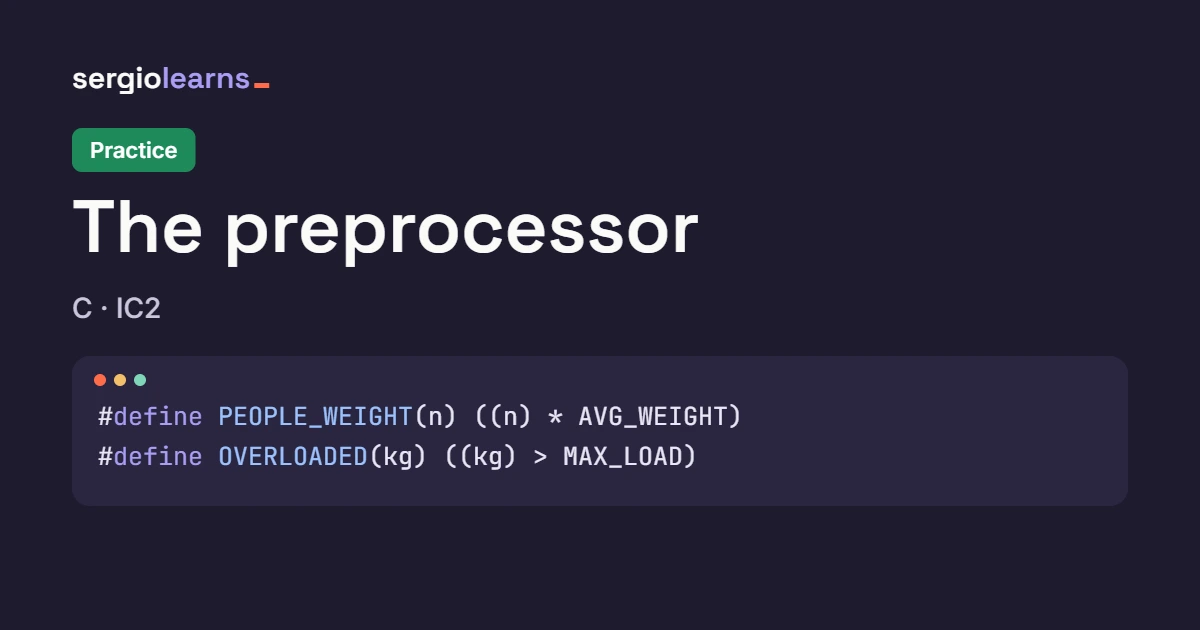
#define PEOPLE_WEIGHT(n) n * AVG_WEIGHT  /* no parentheses! */

int main(void) {
    int adults = 4, children = 2;
    int weight = PEOPLE_WEIGHT(adults + children);   /* I expected 6 * 75 = 450 */

    printf("People: %d\n", adults + children);
    printf("Estimated weight: %d kg\n", weight);
    printf("Still fits: %d kg\n", MAX_LOAD - weight);
    return 0;
}
And the output:
People: 6
Estimated weight: 154 kg
Still fits: 1346 kg
Six people, 154 kg. Either my classmates were made of paper or something was off. I spent a while hunting for the bug in the multiplication, in the ints, in the printf… and it was in none of those places. It was in a line that starts with # and that the compiler never gets to see. That line is handled earlier by another program: the preprocessor.
Today you will understand exactly what that program does with your code: #include, #define, macros with parameters (and why parentheses are compulsory), conditional compilation with #ifdef and gcc -D, guards in .h files and the macros that come ready-made, such as __FILE__ and __LINE__. If you are coming from the previous topic, Structs and strings in C, you have been using #include <stdio.h> for ages without asking what it does. And when you finish, the preprocessor practice is waiting for you with three programs for the same lift.
Table of Contents
What the preprocessor is
The preprocessor is a program that is part of the compiler and that prepares the source code before it is translated into binary. It knows nothing about types, functions or operator precedence: it only works with text. It looks at the lines that start with # (the directives), does what they ask and hands the compiler a new file, with no directives and no comments.
Look at the drawing: your .c goes in on the left, the preprocessor does four things and what comes out on the right is the only thing the compiler sees.
And what does the right-hand side look like? gcc has an option to stop right after the preprocessor: gcc -E. If I remove the #include <stdio.h> from the hook (so the 800 lines of stdio.h are not pasted in) and run gcc -E -P hook.c (the -P removes some line markers we do not care about), this is what the compiler receives:
int main(void) {
    int adults = 4, children = 2;
    int weight = adults + children * 75;
    printf("People: %d\n", adults + children);
    printf("Estimated weight: %d kg\n", weight);
    printf("Still fits: %d kg\n", 1500 - weight);
    return 0;
}
There is the culprit, in plain sight: int weight = adults + children * 75;. The #defines are gone, so are the comments, MAX_LOAD has become 1500 and the macro has been replaced with text in which the multiplication goes before the addition. 4 + 2 · 75 = 4 + 150 = 154. The compiler did the sum correctly; what was wrong was the sum we gave it.
When a macro does something strange, do not guess: gcc -E -P file.c | tail -20 shows you the end of the preprocessed code, which is where your main is.
The most important directives you will use (the table from your notes):
| Directive | What it does |
|---|---|
#include | Pastes the contents of another file at that point |
#define | Defines a symbol or a macro that is replaced by some text |
#undef | Removes the definition of a symbol |
#ifdef | Lets a block through if the symbol is defined |
#ifndef | Lets a block through if the symbol is not defined |
#if, #elif, #else, #endif | Conditional compilation comparing values |
#error | Stops the compilation with a message |
Directives look like part of C because you see them in every program, but they actually belong to a separate language that only the preprocessor understands. That is why they have no semicolon and take up a whole line.
The #include directive
#include is followed by the name of a file, and its effect is very literal: it replaces that line with the whole contents of the file. It comes in two forms:
#include <stdio.h>: with<and>, the file is searched for in the system directories. It is for the standard libraries:<stdio.h>(input and output:printf,scanf,fopen…),<string.h>(strings:strcpy,strlen…) or<stdlib.h>(memory:malloc,free…).#include "lift.h": with quotes, it is searched for first in the folder of the program you are compiling. It is for your own files.
Included files usually have the .h extension (for header) and hold definitions that several .c files need: constants, macros, structs… Instead of copying them into every file, you write them once in a .h and include it wherever it is needed. Also, before pasting the contents, the preprocessor processes the directives inside, so a .h can include other files in turn (you will see this with guards, further down).
.h files do not go in the compile command. gcc guards.c and that is it: the preprocessor decides which files to use when it finds each #include. If your headers are in another folder, the -I folder option tells it where else to look.
The #define directive
#define has two versions. If it is followed by a single word, the preprocessor just notes that the symbol exists. If it is followed by two things, from that line on it replaces every appearance of the first with the second. Here are both in the lift program:
#include <stdio.h>

#define LIFT_SYSTEM          /* version 1: just notes that the symbol exists */
#define MAX_LOAD 1500        /* version 2: symbol -> text that replaces it */
#define FLOORS 10
#define NAME "Lift A"        /* the replacement text can be a string */
#define WARNING_LOAD MAX_LOAD * 9 / 10   /* a #define can use another one */

int main(void) {
    printf("%s: %d floors, max load %d kg\n", NAME, FLOORS, MAX_LOAD);
    printf("Warning from %d kg\n", WARNING_LOAD);

#ifdef LIFT_SYSTEM           /* it only asks whether it exists, not its value */
    printf("LIFT_SYSTEM is defined\n");
#endif

    /* Inside a quoted string NOTHING is replaced */
    printf("This does not change: \"MAX_LOAD\"\n");
    return 0;
}
The output:
Lift A: 10 floors, max load 1500 kg
Warning from 1350 kg
LIFT_SYSTEM is defined
This does not change: "MAX_LOAD"
Step by step:
#define LIFT_SYSTEMhas no value. You cannot use it in a sum, but you can ask about it later with#ifdef LIFT_SYSTEM, which is exactly what the program does (that is why the third line appears).#define MAX_LOAD 1500is the version with a value: wherever it saysMAX_LOAD, the compiler will see1500. Same withFLOORSand withNAME, which is replaced by the string"Lift A"with its quotes.WARNING_LOADusesMAX_LOADinside. The replacement happens across the whole text, including what comes out of another replacement, soWARNING_LOADends up as1500 * 9 / 10: 13500 / 10 = 1350. It is the same as the example in your notes with#define UNO 1and#define OTRO_UNO UNO:OTRO_UNOends up being 1.- The last line shows the exception: nothing is replaced inside a quoted string.
"MAX_LOAD"comes out as it is.
Three conventions you will always see (nobody checks them, but everyone follows them):
#definesymbols are written in CAPITALS, so you can tell them apart from variables at a glance.#defines go at the top of the file, or in a.hif several files use them.- No semicolon at the end: the
;is also text and would be copied wherever you use the symbol (you will see what happens in the exercises).
Thinking that #define MAX_LOAD 1500 creates a variable. There is no variable: it takes no memory, has no type and you cannot change it with MAX_LOAD = 2000; (the compiler would see 1500 = 2000; and complain). It is a find and replace, like the one in a text editor.
**#define or const int?** Both give you named constants, but they are not the same:
#define MAX_LOAD 1500 | const int MAX_LOAD = 1500; | |
|---|---|---|
| Who handles it | The preprocessor (text) | The compiler (variable) |
| Has a type | No | Yes, int |
| Takes memory | No | Yes, like any variable |
| Valid as the size of a global array | Yes | Not in C (it is in C++) |
Can be tested with #ifdef | Yes | No |
In IC2 and in the systems code you will read, you will mostly see #define, so that is what we use in this topic.
Macros with parameters
#define has an extra trick: the symbol can take parameters, like a function. Your notes have this example:
#define TOO_BIG(v) (v >= 1000)
When you write TOO_BIG(i), the preprocessor replaces v with whatever you put in the brackets (i) and the compiler sees (i >= 1000). It looks like a function, but it is not one: nothing is evaluated, text is just copied. And that has consequences. This program compares well-written and badly-written macros:
#include <stdio.h>

#define AVG_WEIGHT 75
#define TOO_BIG(v) ((v) >= 1000)            /* the one from the lab, with parentheses */

#define WEIGHT_BAD(n) n * AVG_WEIGHT        /* missing parentheses around the parameter */
#define WEIGHT_GOOD(n) ((n) * AVG_WEIGHT)   /* parentheses around n and around everything */

#define FREE_BAD(c) 1500 - (c)              /* missing the outer parentheses */
#define FREE_GOOD(c) (1500 - (c))

#define MAX(a, b) ((a) > (b) ? (a) : (b))

int main(void) {
    int adults = 4, children = 2;
    printf("WEIGHT_BAD(adults + children)  = %d\n", WEIGHT_BAD(adults + children));
    printf("WEIGHT_GOOD(adults + children) = %d\n", WEIGHT_GOOD(adults + children));

    printf("2 * FREE_BAD(500)  = %d\n", 2 * FREE_BAD(500));
    printf("2 * FREE_GOOD(500) = %d\n", 2 * FREE_GOOD(500));

    printf("1200 kg too big? %d\n", TOO_BIG(1200));
    printf("800 kg too big?  %d\n", TOO_BIG(800));

    int floor = 3;
    int larger = MAX(floor++, 2);   /* floor++ appears TWICE after expansion */
    printf("larger = %d, floor = %d\n", larger, floor);
    return 0;
}
The output:
WEIGHT_BAD(adults + children)  = 154
WEIGHT_GOOD(adults + children) = 450
2 * FREE_BAD(500)  = 2500
2 * FREE_GOOD(500) = 2000
1200 kg too big? 1
800 kg too big?  0
larger = 4, floor = 5
Each pair of lines shows a different trap. The drawing follows the first one step by step: on the left, the macro without parentheses; on the right, the good one.
Trap 1: parentheses around each parameter. WEIGHT_BAD(adults + children) becomes adults + children * 75, and since * goes before + you get 4 + 150 = 154. WEIGHT_GOOD puts (n) in parentheses, so it becomes ((adults + children) * 75) = 6 · 75 = 450. Exactly my hook.
Trap 2: parentheses around everything. FREE_BAD(500) becomes 1500 - (500), which only looks right until you multiply it: 2 * FREE_BAD(500) is 2 * 1500 - (500) = 3000 − 500 = 2500, when what you wanted was 2 · (1500 − 500) = 2000. FREE_GOOD has the outer parentheses and gives 2000.
Trap 3: arguments are copied, not calculated. MAX(floor++, 2) becomes ((floor++) > (2) ? (floor++) : (2)). The floor++ appears twice: the first one compares 3 > 2 (true) and leaves floor at 4; the second one returns that 4 and leaves floor at 5. That is why you get larger = 4, floor = 5, whereas a real function would have given larger = 3, floor = 4.
And TOO_BIG works: 1200 >= 1000 is true (1) and 800 >= 1000 is false (0). I added parentheses around v compared with the version in the notes, because TOO_BIG(a + b) already worked, but with a lower-precedence operator inside (for example, TOO_BIG(x = 1200)) it would stop working.
Writing a macro “like a function” without parentheses. The rule is mechanical: every parameter in parentheses and the whole expression in parentheses. #define SQUARE(x) ((x) * (x)), never x * x.
Never pass a macro anything with side effects (i++, a call that prints, scanf…). Store the value in a variable first and pass the variable.
Macro or function?
| Situation | Better… | Why |
|---|---|---|
| A named constant | #define | It can be used in #if and in array sizes |
| A one-line calculation with numbers | Macro with parentheses | No call, and it works for int or double |
| Something with several steps, loops or variables | Function | Types are checked and it can be debugged |
Arguments with side effects (i++, calls) | Function | The macro would repeat them |
Conditional compilation: #ifdef, #ifndef, #if
As well as replacing, the preprocessor can remove or keep chunks of code depending on which symbols are defined. The basic structure is:
#ifdef SYMBOL
    /* block 1: reaches the compiler if SYMBOL is defined */
#else
    /* block 2: reaches the compiler if it is NOT */
#endif
It looks like a C if/else, but the difference is huge: this one is decided by the preprocessor at compile time, and the discarded block is deleted before the compiler sees it. If that block had a syntax error, the program would still compile. This program uses it in four ways:
#include <stdio.h>

#define VERSION 2

int main(void) {
    int load = 1320;

#ifdef DEBUG                 /* only exists if you compile with -DDEBUG */
    printf("[DEBUG] sensor load reading: %d kg\n", load);
#endif

#ifndef MAX_LOAD             /* if nobody has defined it before... */
#define MAX_LOAD 1500        /* ...we give it a default value */
#endif

#if VERSION >= 2             /* #if does compare values (integers) */
    printf("Panel v%d: load %d of %d kg\n", VERSION, load, MAX_LOAD);
#else
    printf("Old panel: %d kg\n", load);
#endif

#if 0
    this is not C: the compiler never sees it
#endif

#ifdef DEBUG
    printf("[DEBUG] end of the check\n");
#else
    printf("Normal mode: no traces\n");
#endif
    return 0;
}
And here comes the interesting part: the same file gives two different programs. Compiled normally, with gcc conditional.c:
Panel v2: load 1320 of 1500 kg
Normal mode: no traces
Compiled with gcc -DDEBUG conditional.c:
[DEBUG] sensor load reading: 1320 kg
Panel v2: load 1320 of 1500 kg
[DEBUG] end of the check
The -DDEBUG option is the same as writing #define DEBUG at the top of the file, without touching it. It is the one your notes show as gcc -DMAEMO to pick each system’s welcome message. Let us go through the four blocks:
- **
#ifdef DEBUG** (lines 8 and 26): it only asks whetherDEBUGexists. Without-DDEBUGboth traces disappear and “Normal mode” stays; with-DDEBUGboth traces appear and “Normal mode” disappears. - **
#ifndef MAX_LOAD(line 12): “if it is not defined”. It is used to give a default value** that can be changed from outside:gcc -DMAX_LOAD=2000 conditional.cwould make the block be skipped and the panel would say 2000. - **
#if VERSION >= 2** (line 16):#ifdoes look at the value, and it can compare integers with==,!=,<,>=,&&,||… SinceVERSIONis 2, the first branch stays. It only works with constants the preprocessor knows about: it cannot look at variables, because variables exist only once the program is running. - **
#if 0** (line 22): the condition is always false, so what is inside never reaches the compiler. That is whythis is not C: the compiler never sees itgives no error. It is a quick way to “switch off” a whole block of code while you are testing.
Confusing #ifdef X with #if X. #ifdef asks whether it exists; #if asks what it is worth. With #define DEBUG 0, #ifdef DEBUG is true (it exists, even though it is 0). You will see it live in the exercises.
Which one do I use?
| I want to… | I use |
|---|---|
Turn something on only if I compile with -DNAME | #ifdef NAME |
Give a default value that -D can change | #ifndef NAME + #define NAME value |
| Choose between several versions by number | #if NAME == 1 … #elif … #else … #endif |
| Switch off a block while testing | #if 0 … #endif |
| Stop if someone compiles with an impossible value | #error "message" inside the #else |
Include guards in .h files
Now put two ideas together: #include pastes files and a .h can include others. What happens if a file ends up included twice? If there is a struct inside, the compiler would see it defined twice and give a redefinition error. It happens more often than you think: guards.c includes lift.h and panel.h, and panel.h also needs lift.h. The solution is include guards, an #ifndef that wraps the whole file:
/* lift.h: shared definitions for the lift */
#ifndef LIFT_H      /* first time we enter this file? */
#define LIFT_H      /* we note it: next time we skip everything */

#define MAX_LOAD 1500
#define FLOORS 10

struct Trip {       /* defining a struct twice is an error */
    int origin;
    int destination;
    int load;
};

#endif  /* LIFT_H */
This is how it works: the first time it is included, LIFT_H does not exist, so the contents go through and, on the way, LIFT_H gets defined. The second time, LIFT_H already exists and the #ifndef skips everything up to the #endif. panel.h has its own guard and includes lift.h:
/* panel.h: what the panel screen needs */
#ifndef PANEL_H
#define PANEL_H

#include "lift.h"   /* the panel also uses struct Trip */

#define TRIP_FORMAT "Trip %d -> %d (%d kg)\n"

#endif  /* PANEL_H */
And the main program, which includes both:
#include <stdio.h>
#include "lift.h"    /* quotes: searched first in the program folder */
#include "panel.h"   /* includes lift.h again: the guard leaves it empty */

int main(void) {
    struct Trip v = {0, 7, 640};
    printf(TRIP_FORMAT, v.origin, v.destination, v.load);
    printf("Free load: %d kg of %d\n", MAX_LOAD - v.load, MAX_LOAD);
    return 0;
}
The output:
Trip 0 -> 7 (640 kg)
Free load: 860 kg of 1500
It compiles without complaining and the free load adds up: 1500 − 640 = 860. The drawing shows the path of the two #includes:
To check it, here is the same program without <stdio.h> run through gcc -E -P:
struct Trip {
    int origin;
    int destination;
    int load;
};
int main(void) {
    struct Trip v = {0, 7, 640};
    printf("Trip %d -> %d (%d kg)\n", v.origin, v.destination, v.load);
    return 0;
}
struct Trip appears only once, even though lift.h was included twice. The #define TRIP_FORMAT lines have done their job too: the printf already has the string copied in.
Put a guard in all your .h files, even if only one file includes them today. The name is usually the file name in capitals with _H: lift.h → LIFT_H. Many compilers also accept #pragma once, but it is not standard: in IC2, #ifndef.
Predefined macros: __FILE__, __LINE__ and friends
The C standard comes with some ready-made macros that the preprocessor fills in by itself. Do not define them yourself or try to change them:
| Macro | Replaced by |
|---|---|
__FILE__ | The file name, as a string |
__LINE__ | The number of the line where it appears, as an integer |
__DATE__ | The compilation date, "Mmm dd yyyy" |
__TIME__ | The compilation time, "hh:mm:ss" |
__STDC_VERSION__ | The standard version (201112L with -std=c11) |
And one that is not a macro but is used with them: __func__, which the compiler turns into the name of the function you are in. This program uses all of them:
#include <stdio.h>

/* __FILE__ and __LINE__ are replaced where WARN is USED, not where it is defined */
#define WARN(msg) printf("[%s:%d] %s\n", __FILE__, __LINE__, msg)

void check_door(void) {
    printf("Current function: %s\n", __func__);   /* __func__ is set by the compiler */
    WARN("door open");
}

int main(void) {
    printf("File:    %s\n", __FILE__);
    printf("Line:    %d\n", __LINE__);
    printf("Compiled on %s at %s\n", __DATE__, __TIME__);
    printf("C standard: %ld\n", __STDC_VERSION__);   /* 201112L = C11 */
    WARN("overload detected");
    check_door();
    return 0;
}
The output (the date and time are when I compiled it):
File:    predefined.c
Line:    13
Compiled on Oct 24 2026 at 23:14:47
C standard: 201112
[predefined.c:16] overload detected
Current function: check_door
[predefined.c:8] door open
What to look at:
__LINE__is 13 because it is on line 13 of the file. Count the lines of the code and you will see it matches.WARNis a macro that uses__FILE__and__LINE__inside. Since the replacement happens where the macro is used, the first warning says line 16 (where it is called insidemain) and the second says line 8 (insidecheck_door), not line 4, where the#defineis.__DATE__and__TIME__are frozen at compile time: if you run the program tomorrow, it will still show the compilation time.__STDC_VERSION__is201112L(along, hence the%ld), which means C11, the standard we asked for with-std=c11.
The WARN macro is the idea behind any tracing system: saying where something happened without typing the line number by hand. In the practice you will combine it with #ifdef DEBUG so that it only exists when you need it.
Common mistakes with the preprocessor
Macros without parentheses. WEIGHT(a + b) without (n) only multiplies b, and 2 * FREE(500) without outer parentheses only multiplies the 1500. Every parameter and the whole expression, always in parentheses.
A semicolon at the end of the #define. #define MAX_LOAD 1500; also copies the ; into every use. Sometimes it gives a compile error and sometimes, which is worse, it compiles and does something else.
Passing i++ (or anything with side effects) to a macro. If the parameter appears twice in the macro, the increment happens twice.
Using #ifdef when you wanted to compare a value. #ifdef only checks whether the symbol exists; to compare, use #if.
A .h without a guard included from two places. The struct ends up defined twice and the compiler complains with redefinition of 'struct …'.
Watch it step by step in Python Tutor
Python Tutor runs code line by line and draws the variables and memory. It supports C: choose C in the language drop-down and paste this program, which stores the bad and the good macro in two variables:
#include <stdio.h>

#define AVG_WEIGHT 75
#define WEIGHT_BAD(n) n * AVG_WEIGHT
#define WEIGHT_GOOD(n) ((n) * AVG_WEIGHT)

int main(void) {
    int adults = 4;
    int children = 2;
    int bad = WEIGHT_BAD(adults + children);    /* adults + children * 75 */
    int good = WEIGHT_GOOD(adults + children);  /* ((adults + children) * 75) */
    int spare = 1500 - good;
    printf("bad = %d, good = %d, spare = %d\n", bad, good, spare);
    return 0;
}
Its output:
bad = 154, good = 450, spare = 1050
What to watch step by step:
- **The
#definelines are not steps.** Python Tutor starts directly inmain: the preprocessor has already done its job before the program exists. It is proof that macros are not “run”. - **When
badis created**, the value shown is 154. Look at the line:WEIGHT_BAD(adults + children)has becomeadults + children * 75, and 4 + 2 · 75 = 154. - **When
goodis created**, you get 450: the parentheses inWEIGHT_GOODforce the addition first, (4 + 2) · 75. - **
spareis 1050** (1500 − 450). With the bad value it would have been 1346 and the lift would let almost twenty extra people in.
Summary
| Concept | What it does | Example |
|---|---|---|
| Preprocessor | Transforms the text before compiling | gcc -E -P file.c shows it |
#include <…> / "…" | Pastes a system file / your own | #include "lift.h" |
#define without value | Notes that a symbol exists | #define LIFT_SYSTEM |
#define with value | Replaces text across the file | #define MAX_LOAD 1500 |
| Macro with parameters | Copies the arguments into the text | #define WEIGHT(n) ((n) * 75) |
#ifdef / #ifndef | Keeps or removes code depending on whether a symbol exists | #ifdef DEBUG |
#if / #elif | Keeps or removes code depending on a value | #if VERSION >= 2 |
gcc -D | Defines a symbol from outside | gcc -DDEBUG prog.c |
| Include guard | Stops a .h being included twice | #ifndef LIFT_H |
| Predefined macros | File, line, date, version | __FILE__, __LINE__ |
Three ideas to take away:
- The preprocessor copies text: it does not calculate and knows nothing about types or precedence. If a macro does something strange, look at the result with
gcc -E. - In macros, parentheses around each parameter and around everything, and nothing with side effects as an argument.
- With
#ifdef,#ifandgcc -D, one file gives several programs: with or without traces, for one model or another.
Now it is time to practise: in the preprocessor practice we build the lift configuration panel with its config.h, a debug logger that switches on with -DDEBUG and three lift models coming out of the same file. And after the preprocessor, IC2 moves on to Linux processes with fork().
Did this article help you? Here is how you can support SergioLearns →

3 Comments