System calls in C — exercises with byte counters, O_APPEND, a ranking of saved games and three lseek and read bugs (and the saved game that refused to go first)
I wanted the most recent saved game to appear first in the file. I opened saves.sav with O_APPEND, did lseek(fd, 0, SEEK_SET) to go to the start, wrote… and the game appeared at the end. I went over the lseek ten times, convinced it was written wrong. It wasn’t: with O_APPEND, the kernel moves the pointer to the end **before every write**, whatever your lseek says. You’ll check it yourself in level 2, and it’s the kind of detail that separates “I know the functions” from “I know what the kernel does with them”.
These are the exercises for system calls in C. If you haven’t done the practice yet, start there: here we use the same saves file (four 20-byte slots: Lia, Max, Ane and Teo), but you write the code.
Table of Contents
How to use this article
- Read the statement and the expected output of each level. Your program has to give exactly that output.
- Try to solve it without looking at the hint. If you’re stuck for more than 15 minutes, look at it.
- Do “What’s wrong here?” before the solutions: predict the output of each snippet and then check it.
- Compare your solution with mine, and pay special attention to “why it’s done this way”. At the end you have the cheat sheet to review.
Every level starts from this file, which you can create with a prepare function like the one in the practice (a single write of the 80 bytes):
Lia   level 03 0450
Max   level 12 2750
Ane   level 05 0980
Teo   level 07 1200
Level 1 (basic): counting bytes and lines
Write a function void count(const char *name) that opens the file, reads it with a 16-byte buffer and shows how many bytes it has, how many lines (how many \n) and how many reads returned data. If the file doesn’t exist, it should say so with perror and return. Call it with saves.sav and with records.sav (which doesn’t exist).
Expected output:
saves.sav: 80 bytes, 4 lines, 5 reads with data
records.sav: No such file or directory
The usual read loop, while ((nread = read(fd, buf, sizeof buf)) > 0). Inside, go through the buffer looking for '\n', but only up to nread.
Level 2 (intermediate): adding a saved game with O_APPEND
Add the game Sam level 01 0050 (20 bytes) to saves.sav by opening it with O_WRONLY | O_APPEND. To check how O_APPEND works, do an lseek(fd, 0, SEEK_SET) before the write, as if you wanted to put it first. Then show where the pointer ended up, open the file for reading and show its size in bytes and in slots, the last slot (with SEEK_END) and the first one.
Expected output:
After the write, the pointer is at 100
Size: 100 bytes = 5 slots
Last slot: Sam   level 01 0050
First slot: Lia   level 03 0450
The size is lseek(fd, 0, SEEK_END) and the slots, the size divided by 20. The last slot starts 20 bytes before the end. Don’t forget the '\0' before printing with %s.
Level 3 (challenge): the ranking
Open saves.sav with O_RDWR and go through it slot by slot (one 20-byte read per round). In each one, get the points (they’re at byte 15 of the slot) and keep the best. In each round show the points and which is the best so far. Then mark the winner by writing a * right after the name (byte 3 of the slot) and dump the whole file with its size.
Expected output:
Slot 0:  450 points, best so far: slot 0
Slot 1: 2750 points, best so far: slot 1
Slot 2:  980 points, best so far: slot 1
Slot 3: 1200 points, best so far: slot 1
I mark slot 1 at byte 23
--- saves.sav (80 bytes) ---
Lia   level 03 0450
Max*  level 12 2750
Ane   level 05 0980
Teo   level 07 1200
atoi(slot + 15) turns "2750\n" into 2750 (it stops at the \n). For the mark, the position is 20 · best + 3. And before the dump, go back to the start with lseek.
What’s wrong here?
Three snippets that compile without warnings with gcc -Wall -std=c11. Read each one, predict what it prints and then look at the explanation.
Snippet 1: the last digit
#include <stdio.h>
#include <fcntl.h>      /* open and the O_... constants */
#include <unistd.h>     /* read, write, lseek, close */

int main(void) {
    int fd = open("save.sav", O_RDWR | O_CREAT | O_TRUNC, 0644);
    write(fd, "Teo   level 07 1200\n", 20);

    char c;
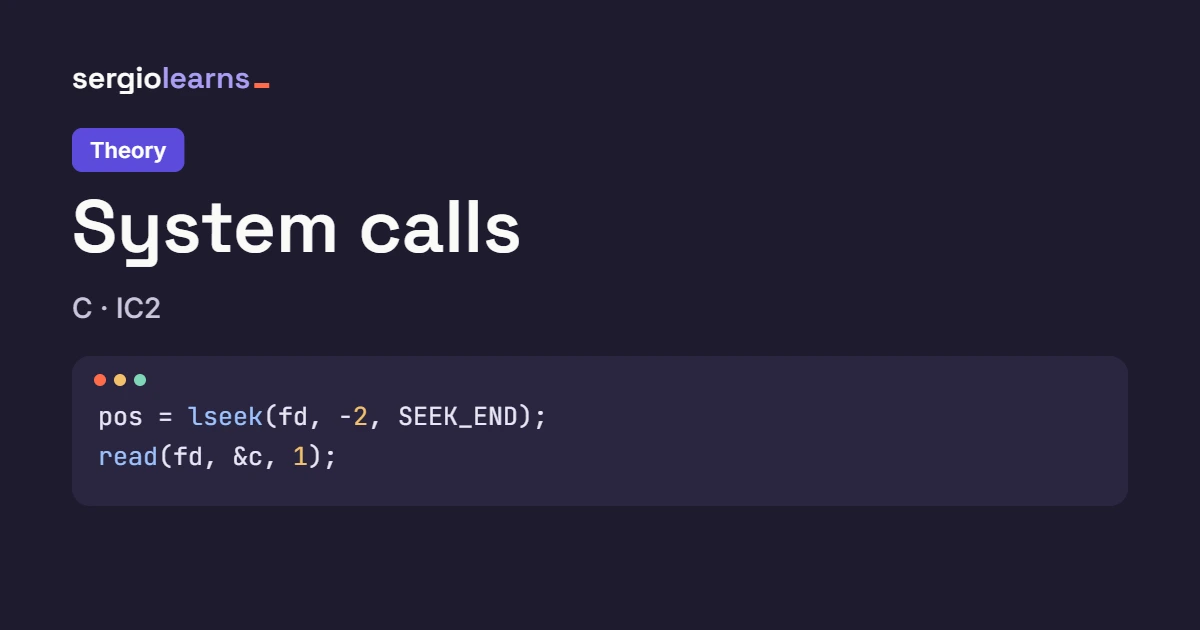
    lseek(fd, -1, SEEK_END);                  /* I want the last digit */
    read(fd, &c, 1);
    printf("Last digit: [%c]\n", c);
    close(fd);
    return 0;
}
What does it print? Think before you carry on.
This is the real output:
Last digit: [
]
The closing bracket has jumped to the next line. The file is 20 bytes long and SEEK_END points to 20, just after the last byte. -1 takes you to 19, which is the \n at the end of the line, so c is '\n' and printf prints a line break between the brackets.
Counting from the end as if the last byte were the last visible character. In a text file, the last byte is almost always the \n.
The fix is -2:
lseek(fd, -2, SEEK_END);                  /* -1 is the '\n': the digit is at -2 */
read(fd, &c, 1);
And now it works:
Last digit: [0]
If you don’t know whether the file ends in \n, read the last byte with -1 and, if it’s '\n', go back one more. That’s what the lab guide’s question is about: why −2 and not −1?
Snippet 2: the name that wasn’t
#include <stdio.h>
#include <fcntl.h>      /* open and the O_... constants */
#include <unistd.h>     /* read, write, lseek, close */
#include <string.h>     /* strlen */

/* Creates a file with the given text */
static void create(const char *file, const char *text) {
    int fd = open(file, O_WRONLY | O_CREAT | O_TRUNC, 0644);
    write(fd, text, strlen(text));
    close(fd);
}

/* Loads the player's name into buf */
static void load(const char *file, char *buf, size_t cap) {
    int fd = open(file, O_RDONLY);
    read(fd, buf, cap);
    close(fd);
}

int main(void) {
    create("player1.txt", "Teodoro");
    create("player2.txt", "Lia");
    char name[32] = {0};                    /* starts full of '\0' */
    load("player1.txt", name, sizeof name - 1);
    printf("Player 1: %s\n", name);
    load("player2.txt", name, sizeof name - 1);
    printf("Player 2: %s\n", name);
    return 0;
}
What does the second line print?
Player 1: Teodoro
Player 2: Liadoro
“Liadoro”. The name buffer starts full of zeros. The first read copies 7 bytes (Teodoro) and leaves a zero at position 7, so the first line comes out fine. The second read copies 3 bytes (Lia) over positions 0-2, but read **doesn’t add the '\0'**: positions 3-6 still hold doro, and %s keeps printing up to the first zero.
| Moment | name[0..7] | %s prints |
|---|---|---|
| When declared | \0 \0 \0 \0 \0 \0 \0 \0 | (nothing) |
| After reading player1 (7 bytes) | T e o d o r o \0 | Teodoro |
| After reading player2 (3 bytes) | L i a d o r o \0 | Liadoro |
Ignoring what read returns. That number is exactly what you need to end the string.
The fix: store what read returns and end the string there.
/* Loads the player's name into buf */
static void load(const char *file, char *buf, size_t cap) {
    int fd = open(file, O_RDONLY);
    ssize_t n = read(fd, buf, cap);
    close(fd);
    buf[n > 0 ? n : 0] = '\0';               /* ends the string where the data read ends */
}
With that change, each name ends where the data read ends:
Player 1: Teodoro
Player 2: Lia
The n > 0 ? n : 0 avoids writing to buf[-1] if read returned −1.
Snippet 3: saving and loading with the same descriptor
#include <stdio.h>
#include <fcntl.h>      /* open and the O_... constants */
#include <unistd.h>     /* read, write, lseek, close */

int main(void) {
    int fd = open("save.sav", O_WRONLY | O_CREAT | O_TRUNC, 0644);
    write(fd, "Lia   level 03 0450\n", 20);
    lseek(fd, 0, SEEK_SET);                   /* back to the start to read it */

    char buf[21];
    ssize_t n = read(fd, buf, 20);
    printf("read returns %zd\n", n);
    if (n == -1) {
        perror("read");
        close(fd);
        return 1;
    }
    buf[n] = '\0';
    printf("Loaded: %s", buf);
    close(fd);
    return 0;
}
Does the saved game load?
read returns -1
read: Bad file descriptor
No. The file was opened with O_WRONLY: that descriptor is only good for writing. The write works, so does the lseek (moving the pointer isn’t reading), but read returns −1 and perror says Bad file descriptor, which here means “this descriptor can’t be used for reading”. The program doesn’t crash or read garbage because it checks for −1.
Choosing the opening mode by thinking only about the first operation. If you’re going to write and then read with the same descriptor, you need O_RDWR.
The fix is changing O_WRONLY to O_RDWR in the open:
int fd = open("save.sav", O_RDWR | O_CREAT | O_TRUNC, 0644);
Now the same descriptor works for both things:
read returns 20
Loaded: Lia   level 03 0450
Solutions
Level 1 solution
#include <stdio.h>
#include <fcntl.h>      /* open and the O_... constants */
#include <unistd.h>     /* read, write, lseek, close */

#define SLOT_SIZE 20
#define SAVEDATA "Lia   level 03 0450\n" "Max   level 12 2750\n" \
                 "Ane   level 05 0980\n" "Teo   level 07 1200\n"

/* Creates the saves file with the four sample slots */
static int prepare(const char *name) {
    int fd = open(name, O_WRONLY | O_CREAT | O_TRUNC, 0644);
    if (fd == -1) {
        perror(name);
        return -1;
    }
    write(fd, SAVEDATA, 4 * SLOT_SIZE);
    close(fd);
    return 0;
}

/* Counts bytes and lines reading 16 at a time */
static void count(const char *name) {
    int fd = open(name, O_RDONLY);
    if (fd == -1) {
        perror(name);
        return;
    }
    char buf[16];
    ssize_t nread;
    long bytes = 0, lines = 0;
    int reads = 0;
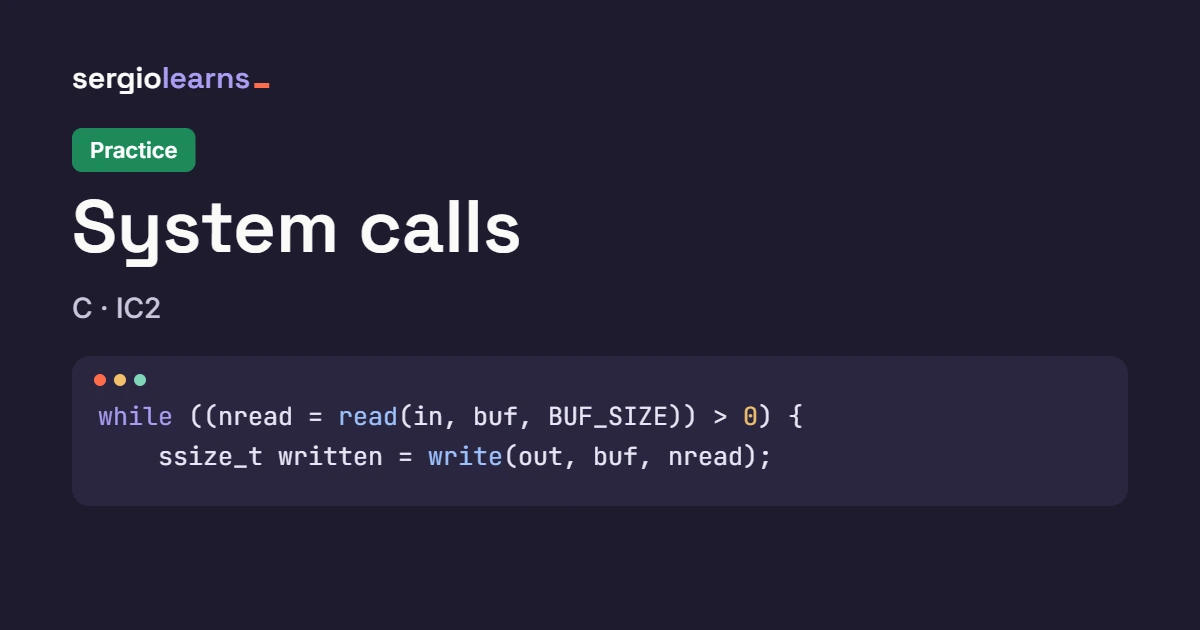
    while ((nread = read(fd, buf, sizeof buf)) > 0) {
        reads++;
        bytes += nread;
        for (ssize_t i = 0; i < nread; i++)  /* only the nread ones, not 16 */
            if (buf[i] == '\n')
                lines++;
    }
    close(fd);
    printf("%s: %ld bytes, %ld lines, %d reads with data\n",
           name, bytes, lines, reads);
}

int main(void) {
    if (prepare("saves.sav") == -1)
        return 1;
    count("saves.sav");
    count("records.sav");                    /* does not exist */
    return 0;
}
Output (the one in the statement):
saves.sav: 80 bytes, 4 lines, 5 reads with data
records.sav: No such file or directory
Why it’s done this way:
- **
perror(name)andreturn** instead of exiting the program: that waymaincan carry on with the next file. The name in front of the message says which file failed. - **
for (i = 0; i < nread; i++)**, noti < 16. In this file the 5 reads return 16 (5 · 16 = 80), so with16it would give the same result… by chance. With 81 bytes, the last read would return 1 and you’d count 15 bytes of leftovers. - **
longfor the counters:** anintreaches about 2 GB, and a file can be bigger. - **No
'\0'needed:** we don’t use the buffer as a string, we only look at its bytes one by one.
| Read | read returns | \n in the chunk | bytes | lines |
|---|---|---|---|---|
| 1 | 16 | 0 | 16 | 0 |
| 2 | 16 | 1 (byte 19) | 32 | 1 |
| 3 | 16 | 1 (byte 39) | 48 | 2 |
| 4 | 16 | 1 (byte 59) | 64 | 3 |
| 5 | 16 | 1 (byte 79) | 80 | 4 |
| 6 | 0 | — | 80 | 4 |
Check: the \ns are at 19, 39, 59 and 79 (20 · n + 19), and each one falls in a different read: 19 in read 2 (bytes 16-31), 39 in read 3 (32-47), 59 in read 4 (48-63) and 79 in read 5 (64-79).
Level 2 solution
#include <stdio.h>
#include <fcntl.h>      /* open and the O_... constants */
#include <unistd.h>     /* read, write, lseek, close */

#define SLOT_SIZE 20
#define SAVEDATA "Lia   level 03 0450\n" "Max   level 12 2750\n" \
                 "Ane   level 05 0980\n" "Teo   level 07 1200\n"

/* Creates the saves file with the four sample slots */
static int prepare(const char *name) {
    int fd = open(name, O_WRONLY | O_CREAT | O_TRUNC, 0644);
    if (fd == -1) {
        perror(name);
        return -1;
    }
    write(fd, SAVEDATA, 4 * SLOT_SIZE);
    close(fd);
    return 0;
}

int main(void) {
    if (prepare("saves.sav") == -1)
        return 1;

    /* O_APPEND: the kernel moves the pointer to the end before EVERY write */
    int fd = open("saves.sav", O_WRONLY | O_APPEND);
    if (fd == -1) {
        perror("saves.sav");
        return 1;
    }
    lseek(fd, 0, SEEK_SET);                  /* I try to write at the start... */
    write(fd, "Sam   level 01 0050\n", SLOT_SIZE);
    printf("After the write, the pointer is at %ld\n", (long) lseek(fd, 0, SEEK_CUR));
    close(fd);

    fd = open("saves.sav", O_RDONLY);
    off_t size = lseek(fd, 0, SEEK_END);
    printf("Size: %ld bytes = %ld slots\n", (long) size, (long) size / SLOT_SIZE);

    char slot[SLOT_SIZE + 1];
    lseek(fd, -SLOT_SIZE, SEEK_END);         /* the last slot */
    read(fd, slot, SLOT_SIZE);
    slot[SLOT_SIZE] = '\0';
    printf("Last slot: %s", slot);

    lseek(fd, 0, SEEK_SET);                  /* and the first one is still intact */
    read(fd, slot, SLOT_SIZE);
    printf("First slot: %s", slot);
    close(fd);
    return 0;
}
Output (the one in the statement):
After the write, the pointer is at 100
Size: 100 bytes = 5 slots
Last slot: Sam   level 01 0050
First slot: Lia   level 03 0450
Why it’s done this way:
- **
O_WRONLY | O_APPENDwithoutO_CREAT:** appending only makes sense if the file already exists. If it didn’t,openwould return −1 and we’d say so, instead of creating a file with a single saved game. - **The
lseek(fd, 0, SEEK_SET)does nothing, and that’s what we wanted to check: the pointer ends at 100** (80 + 20), not 20. WithO_APPEND, everywriteis “move to the end and write” in a single kernel step. This also means that two processes appending to the same log at the same time don’t overwrite each other. - **A second
openwithO_RDONLYto read:** the first descriptor was write-only (snippet 3). - **
size / SLOT_SIZE:** 100 / 20 = 5 slots. It works because the format is fixed. - **The first slot without adding the
'\0'again:** we reuseslot, which already had the'\0'at position 20 from the previous read, and we read exactly 20 bytes again. If we read fewer, leftovers would remain (snippet 2).
Level 3 solution
#include <stdio.h>
#include <fcntl.h>      /* open and the O_... constants */
#include <unistd.h>     /* read, write, lseek, close */
#include <stdlib.h>     /* atoi */

#define SLOT_SIZE 20
#define SAVEDATA "Lia   level 03 0450\n" "Max   level 12 2750\n" \
                 "Ane   level 05 0980\n" "Teo   level 07 1200\n"
#define POINTS_POS 15
#define MARK_POS 3                       /* the first space after the name */

/* Creates the saves file with the four sample slots */
static int prepare(const char *name) {
    int fd = open(name, O_WRONLY | O_CREAT | O_TRUNC, 0644);
    if (fd == -1) {
        perror(name);
        return -1;
    }
    write(fd, SAVEDATA, 4 * SLOT_SIZE);
    close(fd);
    return 0;
}

int main(void) {
    if (prepare("saves.sav") == -1)
        return 1;
    int fd = open("saves.sav", O_RDWR);
    if (fd == -1) {
        perror("saves.sav");
        return 1;
    }

    /* 1. Walk the slots one by one and keep the best */
    char slot[SLOT_SIZE + 1];
    int n = 0, best = -1, max = -1;
    while (read(fd, slot, SLOT_SIZE) == SLOT_SIZE) {
        slot[SLOT_SIZE] = '\0';
        int points = atoi(slot + POINTS_POS);   /* "2750\n" -> 2750 */
        if (points > max) {                   /* > and not >=: on a tie the first one wins */
            max = points;
            best = n;
        }
        printf("Slot %d: %4d points, best so far: slot %d\n", n, points, best);
        n++;
    }

    /* 2. Mark the winner with a '*' right after the name */
    off_t pos = lseek(fd, (off_t) best * SLOT_SIZE + MARK_POS, SEEK_SET);
    write(fd, "*", 1);
    printf("I mark slot %d at byte %ld\n", best, (long) pos);

    /* 3. Dump the whole file to check it */
    char buf[128];
    lseek(fd, 0, SEEK_SET);
    ssize_t nread = read(fd, buf, sizeof buf - 1);
    buf[nread] = '\0';
    printf("--- saves.sav (%zd bytes) ---\n%s", nread, buf);
    close(fd);
    return 0;
}
Output (the one in the statement):
Slot 0:  450 points, best so far: slot 0
Slot 1: 2750 points, best so far: slot 1
Slot 2:  980 points, best so far: slot 1
Slot 3: 1200 points, best so far: slot 1
I mark slot 1 at byte 23
--- saves.sav (80 bytes) ---
Lia   level 03 0450
Max*  level 12 2750
Ane   level 05 0980
Teo   level 07 1200
The heart of it is the search loop:
/* 1. Walk the slots one by one and keep the best */
char slot[SLOT_SIZE + 1];
int n = 0, best = -1, max = -1;
while (read(fd, slot, SLOT_SIZE) == SLOT_SIZE) {
    slot[SLOT_SIZE] = '\0';
    int points = atoi(slot + POINTS_POS);   /* "2750\n" -> 2750 */
    if (points > max) {                   /* > and not >=: on a tie the first one wins */
        max = points;
        best = n;
    }
    printf("Slot %d: %4d points, best so far: slot %d\n", n, points, best);
    n++;
}
- **
while (read(...) == SLOT_SIZE)**, not> 0: we want complete slots. If the file ended with a half slot (say, 7 bytes),atoiwould read garbage; this way, that slot is simply not processed. - **
atoi(slot + POINTS_POS):**slot + 15is a pointer to byte 15, the first digit.atoiturns"2750\n"into 2750 and stops at the\n. Leading zeros don’t matter:"0450"is 450. - **
>and not>=:** if two players tied, the first slot would be kept. With>=, the last one would win. - **
best = -1andmax = -1at the start:** any real score (0 or more) is greater than −1, so the first slot always becomes “the best so far”.
Round (n) | Slot read | points | points > max? | max | best |
|---|---|---|---|---|---|
| 0 | Lia | 450 | 450 > −1 yes | 450 | 0 |
| 1 | Max | 2750 | 2750 > 450 yes | 2750 | 1 |
| 2 | Ane | 980 | 980 > 2750 no | 2750 | 1 |
| 3 | Teo | 1200 | 1200 > 2750 no | 2750 | 1 |
| 4 | (read returns 0) | — | leaves the while | 2750 | 1 |
Then, the mark: lseek(fd, 1 · 20 + 3, SEEK_SET) = byte 23, exactly the first space after Max, and a 1-byte write. That’s why Max becomes Max* and the line is still 20 bytes long: the final size is 80. To dump the file you have to go back to 0 with lseek, because after the write the pointer was at 24.
Watch it step by step in Python Tutor
Python Tutor is perfect for snippet 2, because it draws the array box by box; choose C. It doesn’t work with real files, so simulate_read does the same as read: it copies the bytes and does not add the '\0'.
#include <stdio.h>
#include <string.h>

/* Simulates read(): copies the bytes and does NOT add '\0' */
int simulate_read(char *buf, const char *file) {
    int n = strlen(file);
    for (int i = 0; i < n; i++)
        buf[i] = file[i];
    return n;
}

int main(void) {
    char name[12] = {0};
    int n = simulate_read(name, "Teodoro");
    printf("Player 1: %s\n", name);
    n = simulate_read(name, "Lia");
    printf("Player 2: %s\n", name);    /* leftovers of the previous one */
    name[n] = '\0';                    /* the fix */
    printf("Fixed: %s\n", name);
    return 0;
}
Output:
Player 1: Teodoro
Player 2: Liadoro
Fixed: Lia
What to watch:
- When
name[12] = {0}is declared, all 12 boxes appear with\0. - After the first call, boxes 0-6 hold
Teodoroand box 7 still has\0: that’s why the firstprintfcomes out fine. - After the second call, only boxes 0-2 change (
L,i,a). Boxes 3-6 keepd,o,r,o: that’s the “Liadoro”. name[n] = '\0'withn = 3puts a zero in box 3, and the string ends there. Boxes 4-6 still holdoro, but it no longer matters:%sstops at the first\0.
Cheat sheet: system calls for files
The essentials in 30 seconds: open gives a descriptor (the lowest free one; 0, 1 and 2 are already taken) or −1. read and write move bytes from the pointer and tell you how many: use that number. read returns 0 at the end and does not add the '\0'. lseek moves the pointer from the start, from where you are or from the end (which is the size). Close everything you open and always check for −1.
| I want to… | Code | Result |
|---|---|---|
| Open for reading | open("f", O_RDONLY) | fd (3 if it’s the first) or −1 |
| Create or empty for writing | open("f", O_WRONLY | O_CREAT | O_TRUNC, 0644) | rw-r--r--, size 0 |
| Append at the end | open("f", O_WRONLY | O_APPEND) | every write goes to the end |
| Create only if it doesn’t exist | O_WRONLY | O_CREAT | O_EXCL, 0644 | −1 and File exists if it was there |
| Read and write | open("f", O_RDWR) | a single pointer for both |
| Know where I am | lseek(fd, 0, SEEK_CUR) | the position, without moving |
| Know how big it is | lseek(fd, 0, SEEK_END) | the size (and the pointer is left at the end) |
Go to slot n | lseek(fd, n * 20, SEEK_SET) | slot 2 → 40 |
| Last character of a text | lseek(fd, -2, SEEK_END) | −1 would be the \n |
Write on screen without printf | write(1, text, strlen(text)) | 1 = stdout, 2 = stderr |
Read loop template (levels 1 and 3, and the copy in the practice):
char buf[16];
ssize_t nread;
while ((nread = read(fd, buf, sizeof buf)) > 0) {
    /* use ONLY buf[0] .. buf[nread - 1] */
}
/* here nread is 0 (end) or -1 (error) */
Template for reading a slot as a string (level 2 and snippet 2):
char r[SIZE + 1];                      /* +1 for the '\0' */
lseek(fd, (off_t) n * SIZE, SEEK_SET);
ssize_t k = read(fd, r, SIZE);
r[k > 0 ? k : 0] = '\0';
Template for overwriting a field (practice and level 3):
lseek(fd, (off_t) n * SIZE + OFFSET, SEEK_SET);
write(fd, field, FIELD_LENGTH);        /* without the '\0' */
| Symptom | Likely cause |
|---|---|
| Leftovers of the old content at the end of the file | O_TRUNC missing when rewriting |
No such file or directory | The file doesn’t exist or the path is wrong (or O_CREAT is missing) |
File exists | O_CREAT | O_EXCL with a file that was already there |
Bad file descriptor | Reading with O_WRONLY, writing with O_RDONLY or using a closed fd or −1 |
| Garbage or leftovers when printing what was read | buf[nread] = '\0' missing |
| The copy is bigger than the original | write with the buffer size instead of nread |
What I write appears at the end even though I did lseek | The file is open with O_APPEND |
| A line break comes out instead of the last character | lseek(fd, -1, SEEK_END): the last byte is the \n |
| Strange permissions on the created file | O_CREAT without the mode, or 644 without the 0 |
Before handing it in, ask yourself:
- Do I check the −1 of every
open(and close whatever was already open if something fails)? - Do I use what
read(andwrite) return instead of fixed sizes? - Do I add the
'\0'before treating what I read as a string, and is there room for it? - Is the opening mode (
O_RDONLY,O_WRONLY,O_RDWR,O_TRUNC,O_APPEND) the one that every operation I do with that descriptor needs?
Did this article help you? Here is how you can support SergioLearns →