
vi on Linux — practice with a real ifcfg: enable the card, clean up the file and move it to another network (without touching the mouse)
By the second week of networks I could get out of vi, but every change took me five minutes: arrow, arrow, arrow, delete letter by letter, type… A classmate watched me and said: “why don’t you just do cw?”. I changed a whole word with two keys and realised I’d been using vi as if it were Notepad. The lesson: in vi you don’t edit letter by letter, you edit with commands that say what to change and how far.
This practice applies the vi theory to three lab situations, all on the configuration file of a network card, ifcfg-enp2s0: getting it ready so the card starts on its own, cleaning up a file full of leftovers and moving the workstation to another network. All three are intermediate and use files that look like real ones: repeated lines, old comments and values that have to change in several places at once.
Table of Contents
Before you start
Make sure you’re clear on:
- The three modes, and that Esc always takes you back to normal.
- The basic motions (
j,$,G,5G,/text,n). - The operator + motion grammar (
dd,3dd,cw,yy,p). - The difference between
:wqand:q!.
If any of them sounds shaky, go over the theory before carrying on.
In this article, “the code” of each program is the keys you press inside vi, with a comment explaining why. <Esc> is Escape and <CR> is Enter. Always practise on a copy (cp ifcfg-enp2s0 test): that way a mistake doesn’t leave you without a network.
Program 1: enable the card at boot
The lab workstation has this ifcfg-enp2s0. It has two problems: BOOTPROTO=dhcp (it asks a DHCP server for the IP, but in the lab the IP is set by hand) and ONBOOT=no (the card isn’t brought up at boot). The NETWORK line with the network address is missing too.
$ cat -n ifcfg-enp2s0
     1	DEVICE=enp2s0
     2	BOOTPROTO=dhcp
     3	ONBOOT=no
     4	IPADDR=192.168.2.27
     5	NETMASK=255.255.255.0
     6	GATEWAY=192.168.2.1
The idea
Three changes, each with the right tool:
- Jump to
dhcpwith a search and change the whole word withcw. - Jump to
=nowith another search, move one character and changenotoyes. - Go to the last line and open a new one below with
o.
No arrow keys: searches leave the cursor exactly where you want it, even if the file has a hundred lines.
Before writing the keys, think about where the cursor will land. /=no leaves the cursor on the =, not on the n: that’s why you need the l before cw.
The code
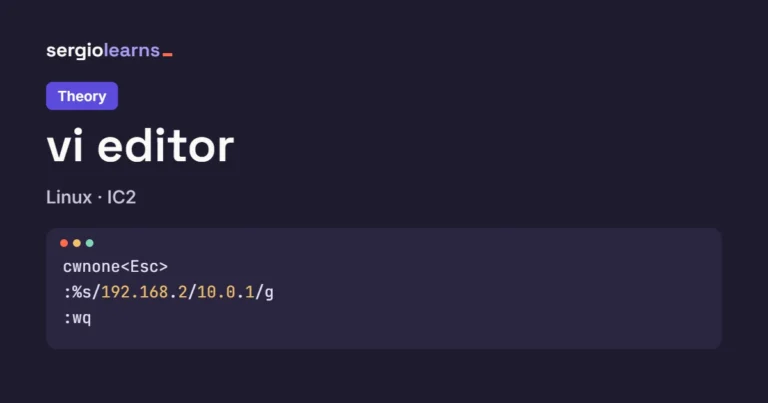
/dhcp<CR>      # the cursor jumps to the d of dhcp
cwnone<Esc>    # fixed address: no DHCP
/=no<CR>       # the cursor lands on the = of ONBOOT=no
lcwyes<Esc>    # one step right and change no to yes
GoNETWORK=192.168.2.0<Esc>   # opens a line at the end and types the network
:wq<CR>        # save and quit
Here’s a zoom on the trickiest part, the second search:
/=no<CR>       # the cursor lands on the = of ONBOOT=no
lcwyes<Esc>    # one step right and change no to yes
Why search for =no and not no? Because no also appears inside none, which we just wrote on line 2. Searching for =no, the pattern only matches line 3. And the l is needed because cw changes from the cursor to the end of the word: if we did it on the =, we’d delete the = (which to vi is a word of its own).
Output
Just before :wq, vi’s screen:
DEVICE=enp2s0
BOOTPROTO=none
ONBOOT=yes
IPADDR=192.168.2.27
NETMASK=255.255.255.0
GATEWAY=192.168.2.1
NETWORK=192.168.2.0
~
~
                                                      7,19          All
And the file on disk after saving:
$ cat -n ifcfg-enp2s0
     1	DEVICE=enp2s0
     2	BOOTPROTO=none
     3	ONBOOT=yes
     4	IPADDR=192.168.2.27
     5	NETMASK=255.255.255.0
     6	GATEWAY=192.168.2.1
     7	NETWORK=192.168.2.0
Check: there were 6 lines and o added one, 6 + 1 = 7. Position 7,19 is the last letter of NETWORK=192.168.2.0 (19 characters). Lines 1, 4, 5 and 6 are untouched. The drawing shows each change with the command that made it:
Questions you might ask
Why cw and not x four times? Because cw deletes the whole word and leaves you in insert mode in one step. With x you’d have to count letters (dhcp has 4, but bootp would have 5) and then press i.
What if the file had two dhcp? /dhcp goes to the first. After changing it, n jumps to the next one and . repeats the last change (cwnone) without typing it again.
Why G and then o, and not just o? o opens the line below wherever the cursor is. After the second cw we were on line 3; without G, NETWORK would have ended up between ONBOOT and IPADDR. The file wouldn’t care (order doesn’t matter in an ifcfg), but we want it tidy.
Do I need :wq or is :x fine? Both work (and ZZ). The difference is that :x only writes if there are changes: it doesn’t touch the modification date if you changed nothing.
Searching for /no instead of /=no. After changing dhcp to none, the first match of no is inside none and cw would wreck line 2.
Try it yourself
- On the original file, make the first two changes with
:%sinstead of searches (hint: you need two substitutions). - Add the line
DNS1=193.145.147.22aboveGATEWAYusingO.
Program 2: clean up a file full of leftovers
Three people have touched this ifcfg-enp2s0: there’s a repeated IPADDR, three commented lines with the old configuration, and GATEWAY and NETMASK in the opposite order to the other files in the lab. And NETWORK is missing.
$ cat -n ifcfg-enp2s0
     1	DEVICE=enp2s0
     2	BOOTPROTO=none
     3	ONBOOT=yes
     4	IPADDR=10.0.1.27
     5	IPADDR=10.0.1.27
     6	#IPADDR=192.168.2.27
     7	#GATEWAY=192.168.2.1
     8	#NETMASK=255.255.255.0
     9	GATEWAY=10.0.1.1
    10	NETMASK=255.255.255.0
The idea
Delete with a count so you don’t repeat commands, and move lines by cutting and pasting:
5G+ddremoves the repeatedIPADDR(line 5).- The three commented lines are then together on lines 5, 6 and 7: a single
3dd. ddpswaps two lines: it cuts the cursor line and pastes it below the next one.G+oadds the missing line.
Before writing the keys, think about how the lines get renumbered. After the first dd, the comment that was on line 6 becomes line 5. That’s why the 3dd comes right after, without moving.
The code
5G             # line 5: the repeated IPADDR
dd             # gone
3dd            # the three old commented lines
ddp            # GATEWAY moves below NETMASK
GoNETWORK=10.0.1.0<Esc>   # the missing line
:wq<CR>
The trick of the program is ddp. Let’s zoom in:
ddp # GATEWAY moves below NETMASK
dd deletes the GATEWAY line and stores it in vi’s clipboard; once it’s gone, NETMASK moves up and the cursor sits on it. p pastes what was stored below the cursor. Result: the two lines have swapped places. Three keys you’ll end up using without thinking.
Output
After 5G and dd:
DEVICE=enp2s0
BOOTPROTO=none
ONBOOT=yes
IPADDR=10.0.1.27
#IPADDR=192.168.2.27
#GATEWAY=192.168.2.1
#NETMASK=255.255.255.0
GATEWAY=10.0.1.1
NETMASK=255.255.255.0
                                                      5,1           All
From 10 lines to 9, and the cursor is still on line 5, which is now the first comment. After 3dd:
DEVICE=enp2s0
BOOTPROTO=none
ONBOOT=yes
IPADDR=10.0.1.27
GATEWAY=10.0.1.1
NETMASK=255.255.255.0
~
~
~
3 fewer lines                                         5,1           All
3 fewer lines: 9 − 3 = 6. After ddp and the new line:
DEVICE=enp2s0
BOOTPROTO=none
ONBOOT=yes
IPADDR=10.0.1.27
NETMASK=255.255.255.0
GATEWAY=10.0.1.1
NETWORK=10.0.1.0
~
~
                                                      7,16          All
The final file on disk:
$ cat -n ifcfg-enp2s0
     1	DEVICE=enp2s0
     2	BOOTPROTO=none
     3	ONBOOT=yes
     4	IPADDR=10.0.1.27
     5	NETMASK=255.255.255.0
     6	GATEWAY=10.0.1.1
     7	NETWORK=10.0.1.0
This is the trace of how many lines there are after each command:
| Step | Command | Lines | Cursor | What happened |
|---|---|---|---|---|
| 0 | (open) | 10 | 1 | original file |
| 1 | 5G dd | 9 | 5 | repeated IPADDR gone |
| 2 | 3dd | 6 | 5 | the three comments gone (original 6, 7 and 8) |
| 3 | ddp | 6 | 6 | GATEWAY and NETMASK swapped |
| 4 | G o… | 7 | 7 | NETWORK added at the end |
And the three stages drawn:
Questions you might ask
Why not :g/^#/d to delete the comments? It would work (it deletes every line starting with #) and it’s more powerful, but 3dd teaches you to count lines, which is what you need 90% of the time. You’ll find :g in the exercises cheat sheet.
What if I miscount and do 4dd? You take GATEWAY too. Press u and all four come back, because 4dd is a single change.
Does ddp work on the last line? Not quite: if you delete the last line, the cursor moves up to the previous one and p pastes it below… exactly where it was. To move a line up you use ddkP.
Where did the deleted IPADDR go? To vi’s clipboard. If you pressed p straight away, it would come back. Every d replaces what was stored, just like “cut”.
Doing the 3dd on line 6 “because the comments started on line 6”. After the first dd everything moved up one position: you’d delete two comments and GATEWAY.
Try it yourself
- Repeat the clean-up in another order: first
3ddon the comments and then theddof the repeated line. Which line number do you need now? - Copy the
NETMASKline withyyand paste it at the end withG+p. Then delete it withdd.
Program 3: move the workstation to another network
The lab is being reorganised and the workstation moves from the 10.0.1.x network to 10.0.5.x. The IP, the gateway and the network address have to change, without touching the mask or anything else:
$ cat -n ifcfg-enp2s0
     1	DEVICE=enp2s0
     2	BOOTPROTO=none
     3	ONBOOT=yes
     4	IPADDR=10.0.1.27
     5	NETMASK=255.255.255.0
     6	GATEWAY=10.0.1.1
     7	NETWORK=10.0.1.0
The idea
First find which lines carry the old network (so you know what to expect) and then change them all at once with :%s, minding two things: that the dots are real dots and that the pattern ends in a dot, so numbers that merely start the same way aren’t touched.
Before writing the keys, think about how many substitutions there should be. If vi tells you a different number, the pattern is wrong.
The code
/GATEWAY<CR>   # check where the gateway is
/10<CR>        # search for 10 from there
n              # next
n              # and again (wraps to the top)
:%s/10\.0\.1\./10.0.5./g<CR>
:w<CR>         # save without quitting
:q<CR>
The important line, taken apart:
:%s/10\.0\.1\./10.0.5./g
% for every line, \. so the dot is a dot (without the backslash, . matches any character), and the final dot of the pattern means only 10.0.1. followed by something changes, never a 10.0.10 or a 10.0.15. The g changes every occurrence on each line (here there’s one per line, but it’s a good habit).
Output
The searches left this trail on vim’s ruler:
| Keys | Position | Character | What it found |
|---|---|---|---|
/GATEWAY Enter | 6,1 | G | the gateway line |
/10 Enter | 6,9 | 1 | 10.0.1.1, right after GATEWAY= (8 characters) |
n | 7,9 | 1 | 10.0.1.0, after NETWORK= |
n | 4,8 | 1 | it wrapped: 10.0.1.27, after IPADDR= (7) |
Three lines with the old network: 4, 6 and 7. After the substitution:
DEVICE=enp2s0
BOOTPROTO=none
ONBOOT=yes
IPADDR=10.0.5.27
NETMASK=255.255.255.0
GATEWAY=10.0.5.1
NETWORK=10.0.5.0
~
~
3 substitutions on 3 lines                            7,1           All
3 substitutions on 3 lines: the number we expected. :w saves without quitting and vim confirms it:
DEVICE=enp2s0
BOOTPROTO=none
ONBOOT=yes
IPADDR=10.0.5.27
NETMASK=255.255.255.0
GATEWAY=10.0.5.1
NETWORK=10.0.5.0
~
~
"ifcfg-enp2s0" 7L, 113B written                       7,1           All
7L, 113B written: 7 lines and 113 bytes. The original file had the same bytes, because we swapped a 1 for a 5 in three places (same size). On disk:
$ cat -n ifcfg-enp2s0
     1	DEVICE=enp2s0
     2	BOOTPROTO=none
     3	ONBOOT=yes
     4	IPADDR=10.0.5.27
     5	NETMASK=255.255.255.0
     6	GATEWAY=10.0.5.1
     7	NETWORK=10.0.5.0
The drawing breaks the command into pieces and shows the three lines it changed.
Questions you might ask
What would happen without the final dot in the pattern? With :%s/10\.0\.1/10.0.5/g you’d get the same result here, but on a network with IPADDR=10.0.1.15 and GATEWAY=10.0.10.1 you’d also turn 10.0.10.1 into 10.0.50.1. The final dot is cheap insurance.
Why search first if :%s does it all? To know what number to expect. Comparing “3 lines found” with “3 substitutions” is the quick way to check the pattern does what you think.
Can I see the changes one by one? Yes: with the c flag (:%s/…/…/gc) vim asks you at each one replace with 10.0.5. (y/n/a/q/l/^E/^Y)?.
What if I get the network wrong? u undoes the whole substitution (it’s a single change), even though it touched three lines.
Typing :s without %. It only looks at the cursor line (here, line 4 after the last search) and you’d change the IP but not the gateway or the network. The workstation would end up on one network and its gateway on another.
Try it yourself
- Change only lines 4 to 6 with a range (
:4,6s/…) and check withcat -nthatNETWORKstays the same. - Use the
cflag to accept theIPADDRchange and reject theGATEWAYone.
Common mistakes in this practice
- Typing with the cursor in the wrong place:
cwandddact from the cursor. A search (/text) before each change avoids surprises. - Counting lines without allowing for earlier deletions: after a
dd, everything below moves up one position. - Searching for text that also appears elsewhere:
/nofindsnone. Make the pattern more specific (/=no). - Forgetting to escape the dot in
:s:.is “any character”; for a dot,\.. - Substituting without
%: only the cursor line changes. - Testing on the real file: work on a copy until the sequence comes out right.
Try it in your terminal
vi can also be used without opening the screen: vim -es (silent ex mode) runs the commands you’d type after the colon and exits. It’s ideal inside a script. This is the same move as program 3, really run from the terminal:
# vi without opening the screen: silent ex mode (-es) runs the : commands and exits
cat -n ifcfg-enp2s0
vim -u NONE -es -c '%s/10\.0\.1\./10.0.5./g' -c 'wq' ifcfg-enp2s0   # the same substitution as program 3
echo $?                                                               # 0 = all went well
cat -n ifcfg-enp2s0
The real session:
$ cat -n ifcfg-enp2s0
     1	DEVICE=enp2s0
     2	BOOTPROTO=none
     3	ONBOOT=yes
     4	IPADDR=10.0.1.27
     5	NETMASK=255.255.255.0
     6	GATEWAY=10.0.1.1
     7	NETWORK=10.0.1.0
$ vim -u NONE -es -c '%s/10\.0\.1\./10.0.5./g' -c 'wq' ifcfg-enp2s0
$ echo $?
0
$ cat -n ifcfg-enp2s0
     1	DEVICE=enp2s0
     2	BOOTPROTO=none
     3	ONBOOT=yes
     4	IPADDR=10.0.5.27
     5	NETMASK=255.255.255.0
     6	GATEWAY=10.0.5.1
     7	NETWORK=10.0.5.0
What to watch for:
- Each
-cis one of the:commands (without the colon), and they run in order: first the substitution, thenwq. -u NONEstarts vim with no configuration, so it behaves the same on any machine.- vim prints nothing to the terminal: in silent mode it only speaks up if there’s an error.
echo $?gives 0: all went well (in the exercises you’ll see a case where it also gives 0… and doesn’t do what you wanted).- The result is identical to program 3: lines 4, 6 and 7 change and the rest don’t.
Summary
- In vi you edit with commands, not letter by letter:
cwchanges a word,dddeletes a line,oopens a new one. - A search (
/text) is the fastest and safest way to put the cursor in place; make the pattern specific (/=no). - A count in front repeats the command (
3dd), and after each deletion the lines are renumbered. ddpswaps two lines;uundoes a whole command even if it touched several lines.:%s/pattern/replacement/gchanges the whole file; escape the dots (\.) and check the number of substitutions.vim -es -c 'command' -c 'wq'applies the same commands from a script.
Checklist: have you practised it?
- Have you done the three programs on a copy and checked the result with
cat -n? - Have you tried the “Try it yourself” tasks without looking at the theory?
- Do you know why
/=nois better than/noin program 1? - Can you explain why the
3ddin program 2 goes on line 5 and not 6? - Do you know what each part of
:%s/10\.0\.1\./10.0.5./gdoes? - Have you tried
vim -esfrom the terminal?
If you answered yes to almost everything, you’re ready for the vi exercises, where I no longer give you the keys. See you there!
Next step: exercisesvi on Linux — exercises with resolv.conf, repeated lines and a cloned network card (and the NBOOT=yes nobody had typed)Did this article help you? Here is how you can support SergioLearns →



 What is an operating system — theory with your laptop on a study afternoon, a write() call and a CPU that never rests (and the three programs that weren’t running at the same time)