
vi on Linux — exercises with resolv.conf, repeated lines and a cloned network card (and the NBOOT=yes nobody had typed)
On the day of the networks practical exam, a classmate in my row put his hand up: “Sir, vi has written a line that says NBOOT=yes and it wasn’t me”. It was him: he typed ONBOOT=yes in normal mode and the O turned into a command. The whole class laughed… and half of us secretly checked our own file was fine. The lesson: in vi, before typing, look at the bottom; if it doesn’t say -- INSERT --, your letters are commands.
These exercises close the vi topic after the theory and the practice. Now you choose the keys.
Table of Contents
How to use this article
- Read the task and the expected output (what
cat -nmust show at the end). - Make a copy of the file and solve it in vi without looking at the solution. If you get stuck, open the hint.
- Before looking at the solutions, do the three “What’s wrong here?” snippets: predict what will happen.
- Compare your keys with mine. There are many valid sequences: what counts is the result and knowing why it works.
Level 1: create resolv.conf
The /etc/resolv.conf file tells the machine which DNS servers to ask to translate names (like ulpgc.es) into IP addresses. Create from scratch a resolv.conf file with the university’s first two DNS servers, one per line, in the format nameserver IP: 193.145.147.22 and 193.145.138.100.
You start with the file not existing:
$ cat -n resolv.conf
cat: resolv.conf: No such file or directory
Expected output:
$ cat -n resolv.conf
     1	nameserver 193.145.147.22
     2	nameserver 193.145.138.100
vi resolv.conf opens an empty file (vi creates it when you save). Enter insert mode, type the first line, Enter, the second, Esc and save.
Level 2: out with the duplicates
This resolv.conf has the first server repeated three times and two public servers the lab doesn’t want to use (8.8.8.8 and 8.8.4.4). Keep only the university’s three, without deleting line by line: use commands with a count.
$ cat -n resolv.conf
     1	nameserver 193.145.147.22
     2	nameserver 193.145.147.22
     3	nameserver 193.145.147.22
     4	nameserver 193.145.138.100
     5	nameserver 8.8.8.8
     6	nameserver 8.8.4.4
     7	nameserver 193.145.138.200
Expected output:
$ cat -n resolv.conf
     1	nameserver 193.145.147.22
     2	nameserver 193.145.138.100
     3	nameserver 193.145.138.200
It’s two deletions of two lines each. Watch where the cursor ends up after the first one.
Level 3: clone the card
The workstation is getting a second card, enp3s0, with the same configuration as enp2s0 but the next IP (.28 instead of .27). Starting from ifcfg-enp2s0, create ifcfg-enp3s0 without modifying the original and without typing the IP by hand.
$ cat -n ifcfg-enp2s0
     1	DEVICE=enp2s0
     2	BOOTPROTO=none
     3	ONBOOT=yes
     4	IPADDR=10.0.1.27
     5	NETMASK=255.255.255.0
     6	GATEWAY=10.0.1.1
     7	NETWORK=10.0.1.0
$ cat -n ifcfg-enp3s0
cat: ifcfg-enp3s0: No such file or directory
Expected output:
$ cat -n ifcfg-enp2s0
     1	DEVICE=enp2s0
     2	BOOTPROTO=none
     3	ONBOOT=yes
     4	IPADDR=10.0.1.27
     5	NETMASK=255.255.255.0
     6	GATEWAY=10.0.1.1
     7	NETWORK=10.0.1.0
$ cat -n ifcfg-enp3s0
     1	DEVICE=enp3s0
     2	BOOTPROTO=none
     3	ONBOOT=yes
     4	IPADDR=10.0.1.28
     5	NETMASK=255.255.255.0
     6	GATEWAY=10.0.1.1
     7	NETWORK=10.0.1.0
You need three vim things that aren’t classic vi or from the practice: :w name saves under another name, Ctrl-a adds 1 to the number under or to the right of the cursor, and :q! quits without touching the file you opened.
What’s wrong here?
Three snippets on the theory’s ifcfg-enp2s0 (BOOTPROTO=dhcp, ONBOOT=no, network 192.168.2.x). Before reading the explanation, predict what will show on screen.
Snippet 1: typing without entering insert mode
You open the file and, without pressing anything else, type:
ONBOOT=yes     # typed in normal mode, as if you were in insert mode
<Esc>:q!<CR>
Predict: does ONBOOT=yes show up anywhere?
The real screen after typing ONBOOT=yes:
NBOOT=yes
DEVICE=enp2s0
BOOTPROTO=dhcp
ONBOOT=no
IPADDR=192.168.2.27
NETMASK=255.255.255.0
GATEWAY=192.168.2.1
~
~
-- INSERT --                                          1,10          All
There’s a new line at the very top with NBOOT=yes and vim is in insert mode. Each letter was interpreted according to the mode vi was in at that moment:
In normal mode, O is the command “open a line above and enter insert mode”. From then on you’re in insert mode and the rest (NBOOT=yes) is typed as is. Position 1,10 is the end of that new line.
Trusting that vi “was already typing”. With other words the damage is different, because each letter is a different command (d deletes, x deletes, u undoes, p pastes…). Always look at the last line.
The fix: Esc, u to undo, go to the right line and change it whole with cc: 3GccONBOOT=yes<Esc>. That’s exactly the first command of snippet 2, and you’ll see its result there.
Snippet 2: quitting without saving… or not
3GccONBOOT=yes<Esc>   # change the whole of line 3
:q<CR>         # try to quit
<CR>
:wq<CR>        # save and quit
Predict: what does :q do?
BOOTPROTO=dhcp
ONBOOT=yes
IPADDR=192.168.2.27
NETMASK=255.255.255.0
GATEWAY=192.168.2.1
~
~
~
E37: No write since last change (add ! to override)
Press ENTER or type command to continue
E37: there’s an unsaved change (line 3) and :q refuses to quit. The screen has moved up one line to make room for the message and vim is waiting for Enter. After that Enter, :wq does save and quit:
$ cat -n ifcfg-enp2s0
     1	DEVICE=enp2s0
     2	BOOTPROTO=dhcp
     3	ONBOOT=yes
     4	IPADDR=192.168.2.27
     5	NETMASK=255.255.255.0
     6	GATEWAY=192.168.2.1
Read the whole message: add ! to override tells you :q! would quit throwing the change away. vi never leaves you trapped; it makes you decide.
Snippet 3: the substitution that finds nothing
The cursor is on line 1 (just opened) and you want to move the file from network 192.168.2 to 10.0.1:
:s/192.168.2/10.0.1/g<CR>    # without % : only the cursor line (line 1)
:%s/192.168.2/10.0.1/g<CR>   # with % : the whole file
:wq<CR>
Predict: how many lines does the first command change?
DEVICE=enp2s0
BOOTPROTO=dhcp
ONBOOT=no
IPADDR=192.168.2.27
NETMASK=255.255.255.0
GATEWAY=192.168.2.1
~
~
~
E486: Pattern not found: 192.168.2                    1,1           All
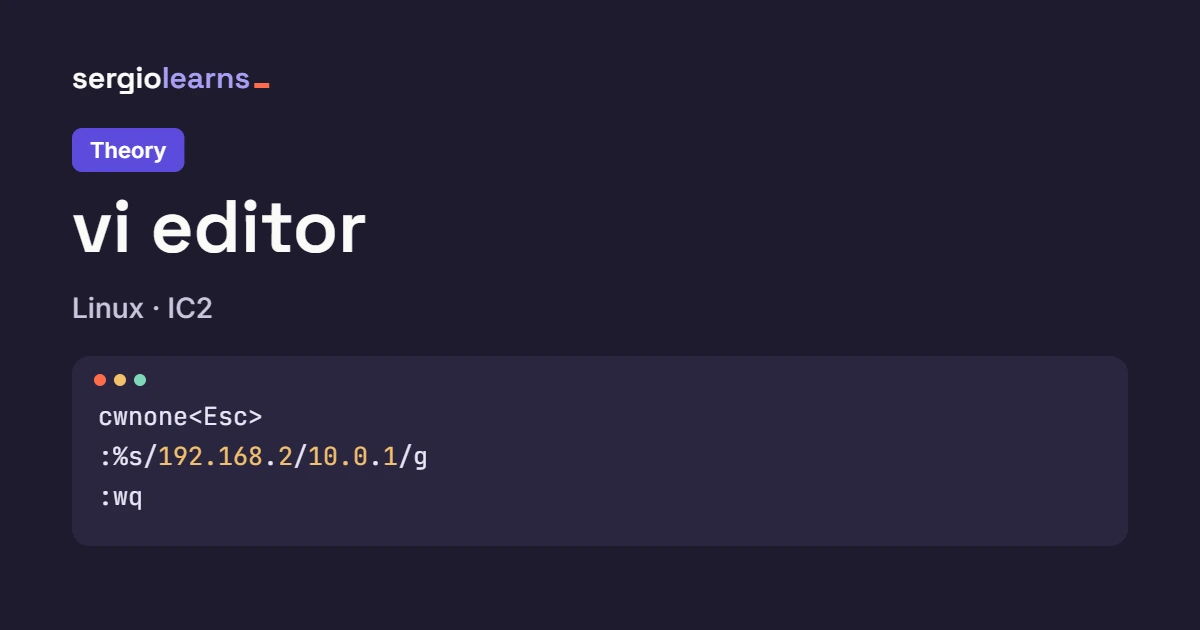
E486: Pattern not found: none. Without %, :s only looks at the cursor line, and line 1 (DEVICE=enp2s0) doesn’t contain 192.168.2. vim doesn’t search the rest of the file. With % it does:
DEVICE=enp2s0
BOOTPROTO=dhcp
ONBOOT=no
IPADDR=10.0.1.27
NETMASK=255.255.255.0
GATEWAY=10.0.1.1
~
~
~
:%s/192.168.2/10.0.1/g                                6,1           All
And after :wq:
$ cat -n ifcfg-enp2s0
     1	DEVICE=enp2s0
     2	BOOTPROTO=dhcp
     3	ONBOOT=no
     4	IPADDR=10.0.1.27
     5	NETMASK=255.255.255.0
     6	GATEWAY=10.0.1.1
If :s gives you E486 and you’re sure the text is in the file, the % (or a range like :4,6s) is almost always missing.
Solutions
Solution to Level 1
inameserver 193.145.147.22<CR>nameserver 193.145.138.100<Esc>
:wq<CR>
The screen before saving:
nameserver 193.145.147.22
nameserver 193.145.138.100
~
~
~
~
~
~
~
                                                      2,26          All
Why it’s done this way:
ienters insert mode in an empty file (aorowould also do).<CR>inside insert mode is a normal line break: it doesn’t run anything.- Esc before
:wq, because the colon only opens command-line mode from normal mode. Without Esc, you’d type:wqinto the file. - Check: the ruler says
2,26becausenameserver 193.145.138.100has 26 characters (10 + 1 space + 15). It no longer says-- INSERT --: Esc took us back to normal mode.
Solution to Level 2
j2dd           # on line 2, delete the two copies
j2dd           # down to 8.8.8.8 and delete that line and 8.8.4.4
:wq<CR>
After the first j2dd:
nameserver 193.145.147.22
nameserver 193.145.138.100
nameserver 8.8.8.8
nameserver 8.8.4.4
nameserver 193.145.138.200
~
~
~
~
                                                      2,1           All
Why it’s done this way:
jgoes down to line 2 and2dddeletes lines 2 and 3: the two copies. The first occurrence stays. 7 − 2 = 5 lines remain.- After the deletion the cursor is on line 2 (
193.145.138.100): what was below moved up. One morejand we’re on8.8.8.8.
After the second j2dd:
nameserver 193.145.147.22
nameserver 193.145.138.100
nameserver 193.145.138.200
~
~
~
~
~
~
                                                      3,1           All
2ddtakes8.8.8.8and8.8.4.4: 5 − 2 = 3 lines. The cursor ends on line 3 (193.145.138.200), the one that moved up.- The obvious alternative,
ddfive times moving in between, works, but it’s more keys and more chances to delete the wrong one.
Solution to Level 3
:%s/enp2s0/enp3s0/g<CR>   # the name of the card
/IPADDR<CR>    # the IP line
$<C-a>         # to the end of the line and add 1 to the number: 27 -> 28
:w ifcfg-enp3s0<CR>   # save under ANOTHER name
:q!<CR>        # the original is not touched
After the substitution, the search and Ctrl-a:
DEVICE=enp3s0
BOOTPROTO=none
ONBOOT=yes
IPADDR=10.0.1.28
NETMASK=255.255.255.0
GATEWAY=10.0.1.1
NETWORK=10.0.1.0
~
~
/IPADDR                                               4,16          All
IPADDR=10.0.1.28: Ctrl-a looked for the number from the cursor and added 1 to it (27 + 1 = 28). The ruler says 4,16, the last digit of the line. Then :w ifcfg-enp3s0:
DEVICE=enp3s0
BOOTPROTO=none
ONBOOT=yes
IPADDR=10.0.1.28
NETMASK=255.255.255.0
GATEWAY=10.0.1.1
NETWORK=10.0.1.0
~
~
"ifcfg-enp3s0" [New] 7L, 113B written                 4,16          All
[New] 7L, 113B written: the new file has 7 lines and 113 bytes, the same as the original (we changed 2 to 3 and 7 to 8, same size). The message doesn’t fit in full next to the ruler and vim trims it on the left with <.
Why it’s done this way:
:%s/enp2s0/enp3s0/gchanges the name on any line where it appears (here onlyDEVICE, but in other ifcfg files it’s also inNAME).$beforeCtrl-aputs the cursor on the7: so it adds 1 to27. From the start of the line,Ctrl-awould have found the first number on the line, the10of10.0.1.27, and you’d have created11.0.1.27.:w ifcfg-enp3s0writes the buffer to another file, but vi is still editingifcfg-enp2s0.:q!is key: the buffer has changes compared withifcfg-enp2s0and we don’t want to save them there. The original comes out untouched, as the task asked.
The drawing shows the two files at the end: the untouched original and the clone with its two differences.
Try it in your terminal
Snippet 3 has an even sneakier version: inside a script, with vim -es. This session is real, on the ifcfg-enp2s0 with network 192.168.2:
# Snippet 3 in silent mode: without % the command only looks at line 1
vim -u NONE -es -c 's/192.168.2/10.0.1/g' -c 'wq' ifcfg-enp2s0
echo $?                                                         # not 0: something failed
grep -c 192.168.2 ifcfg-enp2s0                                  # how many lines still have the old network
vim -u NONE -es -c '%s/192.168.2/10.0.1/g' -c 'wq' ifcfg-enp2s0
echo $?
grep -c 192.168.2 ifcfg-enp2s0
What came out:
$ vim -u NONE -es -c 's/192.168.2/10.0.1/g' -c 'wq' ifcfg-enp2s0
$ echo $?
0
$ grep -c 192.168.2 ifcfg-enp2s0
1
$ vim -u NONE -es -c '%s/192.168.2/10.0.1/g' -c 'wq' ifcfg-enp2s0
$ echo $?
0
$ grep -c 192.168.2 ifcfg-enp2s0
0
What to watch for:
- The first command, without
%, doesn’t give an error:echo $?is 0. In ex mode, the current line when it starts is the last line of the file (GATEWAY=192.168.2.1), and there was a match there. - That’s why
grep -ccounts 1: of the two lines with192.168.2, only one changed.IPADDRstill has the old network. - The same slip gives a different result depending on where the cursor is: on screen (snippet 3) it failed with E486; here it “works” halfway and silently.
- With
%, the second command fixes what was left and the count drops to 0. - Moral for your scripts: check the result (
grep -c), not just$?.
Cheat sheet: vi
The essentials in 30 seconds
vi has three modes: normal (commands), insert (text) and command-line (:). Esc always goes back to normal. Commands combine: count + operator (d, c, y) + motion. Nothing reaches the disk until :w, and :q! quits without saving.
Moving
| I want to… | Keys | Result |
|---|---|---|
| go down / up a line | j / k | same column (if it exists) |
| go to the start / end of the line | 0 / $ | |
| go to line 5 | 5G | |
| first / last line | gg / G | |
| next / previous word | w / b | = counts as a word |
search for ONBOOT | /ONBOOT Enter | cursor on the O; n next, N previous |
jump to the next = on the line | f= |
Editing
| I want to… | Keys | Result |
|---|---|---|
| type before the cursor / at the end of the line | i / A | -- INSERT -- |
| new line below / above | o / O | |
| change a word | cw | deletes and enters insert mode |
| change the whole line | cc | |
| delete character / line / 3 lines | x / dd / 3dd | 3 fewer lines |
| copy a line and paste it below | yy p | |
| swap with the line below | ddp | |
| undo / redo / repeat | u / Ctrl-r / . | |
| add 1 to the number | Ctrl-a | 27 → 28 |
: commands
| I want to… | Command | Result |
|---|---|---|
| save / save and quit | :w / :wq | "file" 7L, 113B written |
| quit without saving | :q! | the disk doesn’t change |
| save under another name | :w ifcfg-enp3s0 | [New] |
| substitute in the whole file | :%s/old/new/g | N substitutions on M lines |
| substitute on lines 4 to 6 | :4,6s/old/new/g | |
| delete the lines starting with # | :g/^#/d | |
| without opening the screen (scripts) | vim -es -c '%s/a/b/g' -c wq file |
Exercise templates
| Exercise | Keys | Result |
|---|---|---|
| Level 1 | i text <CR> text <Esc> :wq | new 2-line file |
| Level 2 | j2dd j2dd :wq | from 7 to 3 lines |
| Level 3 | :%s/enp2s0/enp3s0/g /IPADDR $ Ctrl-a :w ifcfg-enp3s0 :q! | untouched original + clone with .28 |
Symptom / likely cause
| Symptom | Likely cause |
|---|---|
| stray letters or odd lines appear | you typed in normal mode; Esc and u |
E37: No write since last change | :q with changes: :wq or :q! |
E486: Pattern not found with :s | the % is missing or the pattern doesn’t match (an unescaped dot?) |
:wq appears written inside the file | you were in insert mode: Esc before : |
E45: 'readonly' option is set | the file belongs to another user (root): sudo vi |
vim says Press ENTER | the message didn’t fit: press Enter and carry on |
Before you hand it in, ask yourself
- Have I checked the file with
cat -nafter leaving vi, not just on the editor’s screen? - Is the number of substitutions or deleted lines the one I expected?
- Did I quit with
:wqwhen I wanted to save and with:q!when I didn’t? - Did I work on a copy until I was sure?
With vi under control, the next topic finally opens up what’s inside the ifcfg: network configuration on Linux.
Did this article help you? Here is how you can support SergioLearns →


 What is an operating system — theory with your laptop on a study afternoon, a write() call and a CPU that never rests (and the three programs that weren’t running at the same time)