Variables and data types in Python — hands-on practice with VS Code
In the previous article we covered the theory behind variables and data types in Python. Now it’s time to put variables and data types in Python practice with real code. We’ll build two programs from scratch in VS Code: a grade average calculator and a BMI calculator, simple but using everything you need to know in real situations.
Before starting, make sure you have VS Code set up with Python. If you haven’t done that yet, here’s the guide.
Table of Contents
How we’ll work
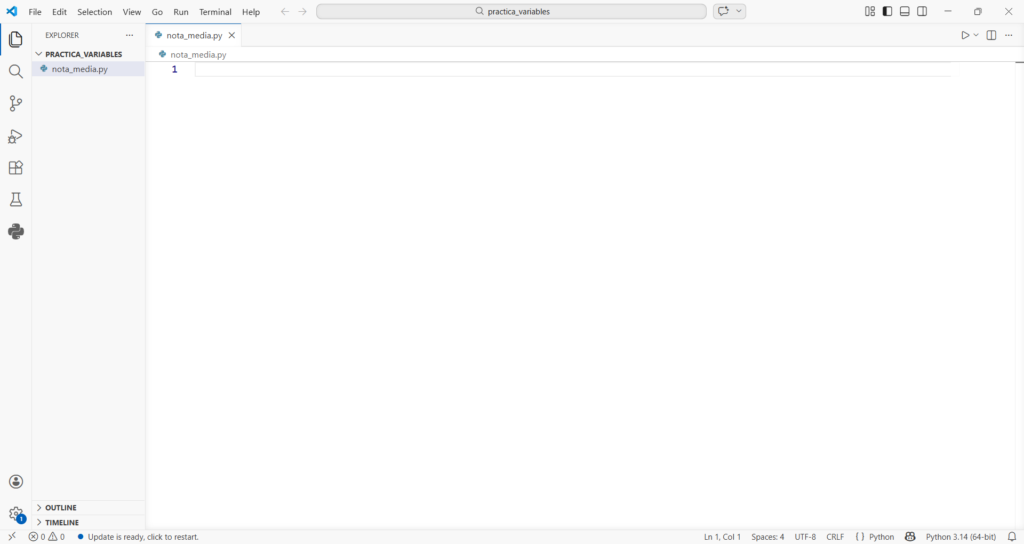
Open VS Code, create a folder called variables_practice and inside it create a new file called grade_average.py. Keeping your files organised from the start is a habit that will save you a lot of headaches throughout your degree, one folder per topic, one file per program.
Variables and data types in Python practice — Program 1: Grade average calculator
This is exactly the kind of program that appears in the first FP1 exercises. We want to ask the user for three grades and calculate the average.
Simple version first:
# Grade average calculator
# Ask for the three grades
grade1 = float(input("Enter grade 1: "))
grade2 = float(input("Enter grade 2: "))
grade3 = float(input("Enter grade 3: "))

# Calculate the average
average = (grade1 + grade2 + grade3) / 3

# Show the result
print("Your average grade is:", average)
Run it and you’ll see something like this in the VS Code terminal:
Enter grade 1: 7
Enter grade 2: 8.5
Enter grade 3: 6
Your average grade is: 7.166666666666667
It works, but there are two things to improve. First, too many decimal places. Second, it would be useful to know whether you passed or not. Here’s the improved version:
# Grade average calculator — improved version
grade1 = float(input("Enter grade 1: "))
grade2 = float(input("Enter grade 2: "))
grade3 = float(input("Enter grade 3: "))

average = (grade1 + grade2 + grade3) / 3

# Round to 2 decimal places
rounded_average = round(average, 2)

# Determine pass or fail
passed = rounded_average >= 5.0

print(f"Your average grade is: {rounded_average}")
print(f"Passed?: {passed}")
Enter grade 1: 7
Enter grade 2: 8.5
Enter grade 3: 6
Your average grade is: 7.17
Passed?: True
Notice what we’re using here: float for the grades because they can have decimals, round() to control the decimal places in the result, a bool variable for pass/fail, and f-strings to display results cleanly. That’s an entire FP1 topic in 10 lines.
Variables and data types in Python practice — Program 2: BMI calculator
Create a new file called bmi.py. Body Mass Index is calculated by dividing weight in kilograms by height in metres squared:
# BMI Calculator
name = input("What's your name? ")
weight = float(input("Your weight in kg: "))
height = float(input("Your height in metres: "))

# Calculate BMI
bmi = weight / (height ** 2)
bmi_rounded = round(bmi, 1)

print(f"\nResults for {name}:")
print(f"Your BMI is: {bmi_rounded}")
What's your name? Sergio
Your weight in kg: 70
Your height in metres: 1.78

Results for Sergio:
Your BMI is: 22.1
Here we use str for the name, float for weight and height, the ** operator to square the height, and \n to add a blank line before the result to make the output cleaner.
Use Python Tutor to see what’s happening
If something isn’t clicking in these programs, paste the code into pythontutor.com and run it step by step. You’ll see exactly when Python creates each variable, what type it assigns and what value it stores. It’s especially useful for understanding why float(input(...)) works and input(...) alone doesn’t — you’ll see the string "7" vs the number 7.0 as two completely different objects in memory.
The 3 most common mistakes
After seeing this in class, these are the errors that appear every time:
Mistake 1 — Forgetting float():
# WRONG — input() returns text, not a number
grade1 = input("Grade 1: ")
average = grade1 / 3    # TypeError here

# RIGHT
grade1 = float(input("Grade 1: "))
average = grade1 / 3
Mistake 2 — / vs //:
average = (7 + 8 + 6) / 3    # 7.0 — normal division with decimals
average = (7 + 8 + 6) // 3   # 7   — integer division, no decimals
For grades always use / — you need the decimal places.
Mistake 3 — Missing parentheses in the average:
# WRONG — only divides the last grade by 3
average = grade1 + grade2 + grade3 / 3

# RIGHT — adds everything first, then divides
average = (grade1 + grade2 + grade3) / 3
Python follows the same order of operations as maths, parentheses first. Without them, only grade3 gets divided by 3 and you add that result to grade1 and grade2 , a completely wrong calculation.
Summary and next step
In this article you put variables and data types in Python into practice with two real programs. The key concepts you used were float() to convert input() values, round() to control decimal places, f-strings to display results cleanly, and the ** operator for exponents.
In the next article you’ll find proposed exercises to solve on your own, with commented solutions so you can compare your work.
Next step: exercisesVariables and data types in Python — exercises with solutions and cheat sheetDid this article help you? Here is how you can support SergioLearns →