What you need to know about computing before you start programming
When I started my Data Science and Engineering degree at ULPGC, I thought programming was just writing code. But the first few weeks I realised there are a lot of basic computing concepts that everyone assumes you already know, and that nobody actually explains directly.
In this article I’ll tell you exactly what you need to have clear before writing your first line of Python. No unnecessary jargon, just what really matters.
Table of Contents
Hardware vs Software — the difference that always confuses
The first thing you need to understand is the difference between hardware and software because you’ll hear both terms constantly throughout your degree.
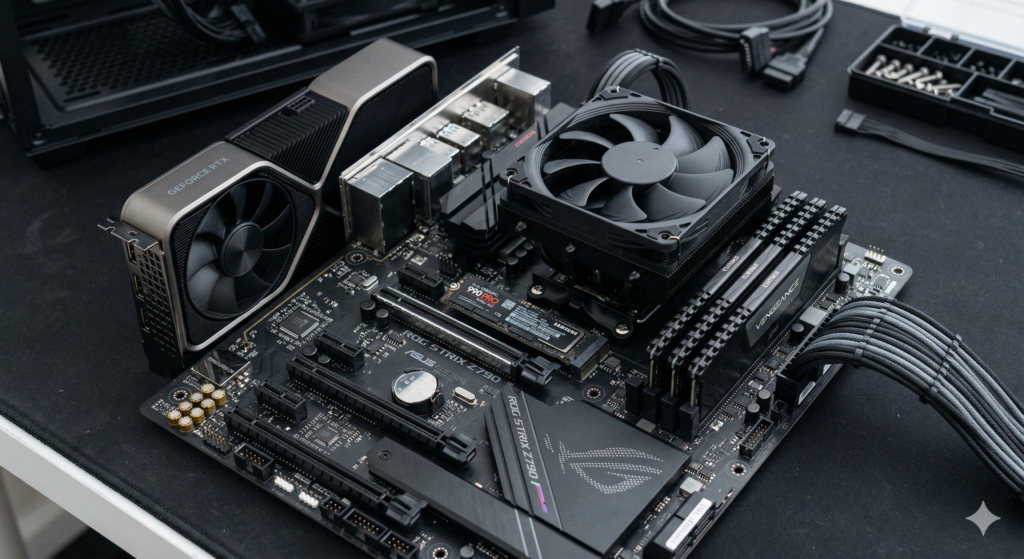
Hardware is everything physical, everything you can touch. The screen, the keyboard, the processor, the RAM, the hard drive. If it breaks, you send it for repair.
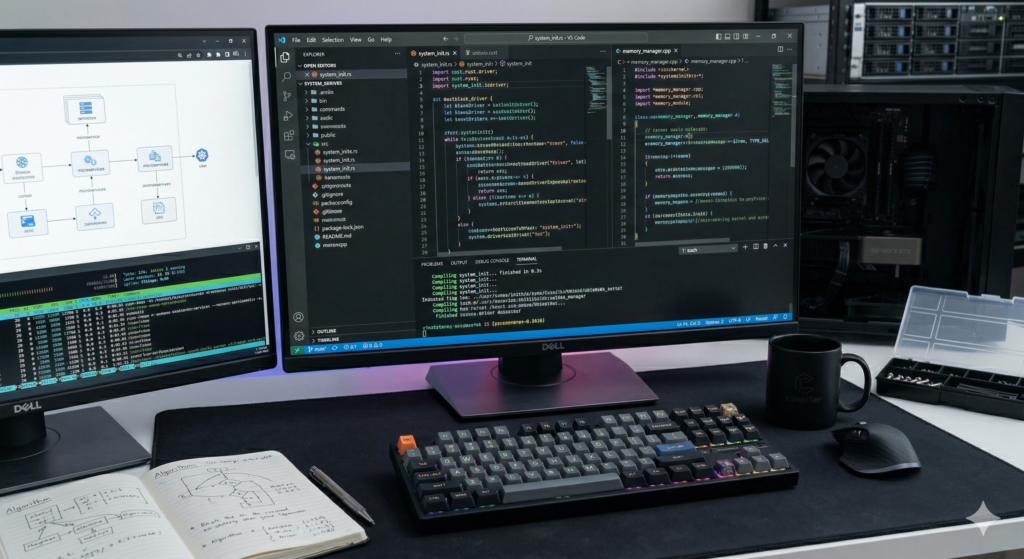
Software is everything you can’t touch, programs, the operating system, code. If it fails, you reinstall or fix it.
AI-generated images (Google Gemini)
When you program in Python you’re creating software. Your computer (hardware) runs it. That’s the basic relationship.
Basic computing before programming — what really matters
You don’t need to be a hardware engineer to program, but it helps to understand these three components:
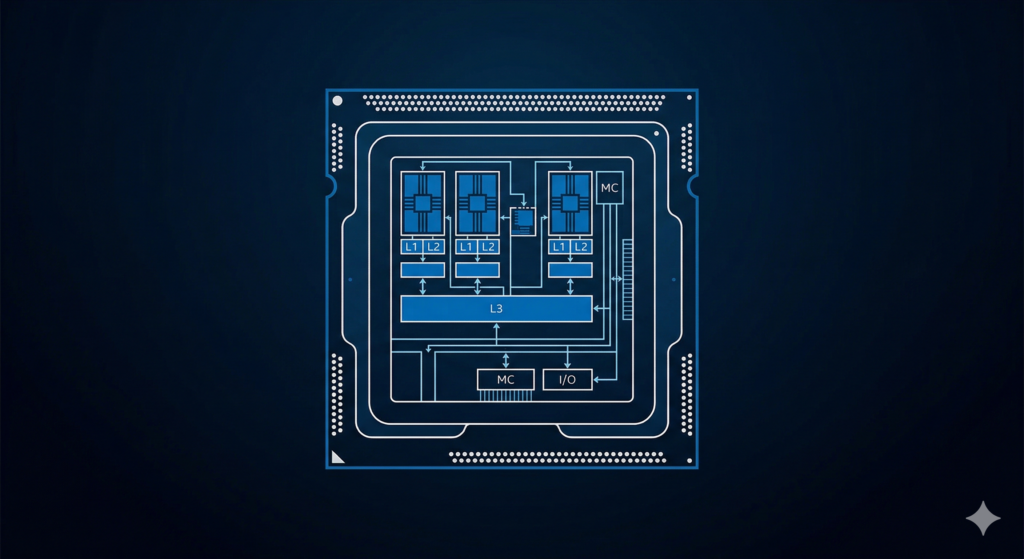
The processor (CPU) — the brain of the computer. It executes your program’s instructions one by one. When your code takes a long time to run, it’s usually because you’re asking the processor for too many calculations.
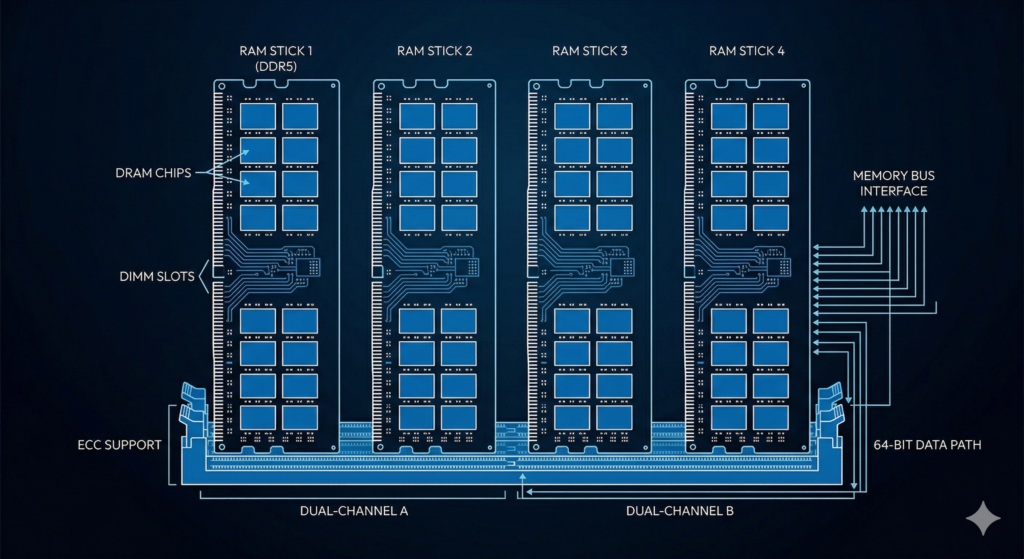
RAM — this is where the computer temporarily stores what it’s currently using. When you close a program, what was in RAM disappears. That’s why when Python saves a variable, it’s storing it in RAM — and when the program ends, that variable stops existing. This explains something beginners often find confusing: if you run your program twice, the variables from the first run are completely gone.
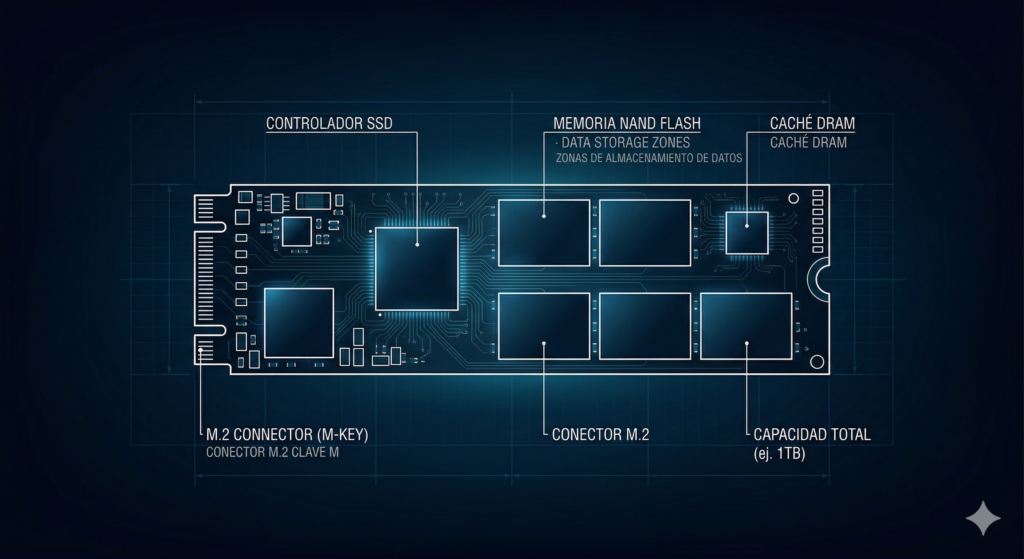
Storage (hard drive or SSD) — this is where files are saved permanently. Your .py Python files live here. When you read or write a file in Python, you’re accessing storage. Unlike RAM, storage persists when you turn off your computer.
AI-generated images (Google Gemini)
Software of system vs application software
Your computer has two layers of software:
- System software — the operating system (Windows, macOS, Linux). It’s the intermediary between the hardware and your programs. When you install Python, you install it on top of the operating system.
- Application software — the programs you use to do specific things. VS Code is application software. Python is too. Your browser too.
As a GCID student you’ll mainly work on Windows, but you’ll also encounter Linux. If you don’t have it yet, I recommend setting up a virtual machine with Fedora, here’s the detailed guide.
The terminal — your new best friend
The terminal (also called the console or command line) is a window where you type instructions directly to the operating system in text, without using the mouse. It looks intimidating at first but it’s a fundamental tool you’ll use constantly throughout your degree.
On Windows it opens by searching for cmd or PowerShell. The basic commands you need to know from the start are:
cd folder_name     → enter a folder
cd ..              → go back to the previous folder
dir                → see the files in the current folder (Windows)
ls                 → same but on Mac/Linux
python file.py     → run a Python file
python --version   → see which Python version you have installed
If you installed Python following our guide, you already used the terminal to verify it worked. That’s exactly what it’s for.
File organisation — do this now
This might seem obvious but it’s one of the most practical pieces of advice I can give you: organise your code files from day one. During your degree you’ll have dozens of .py files and if they’re all on your desktop or in Downloads, within two weeks you won’t be able to find anything.
A simple structure that works:
📁 GCID
  📁 FP1
    📁 Topic_Variables
      grade_average.py
      bmi.py
    📁 Topic_Structures
      ...
  📁 Statistics
    ...
Create this structure on your computer now if you don’t have it already. Your future self will thank you.
Special characters you’ll type constantly in code
The FP1 notes include a table of special keyboard characters that are essential for programming. These are the ones you’ll use most:
( )   → parentheses — for functions: print("hello")
[ ]   → brackets — for lists: [1, 2, 3]
{ }   → curly braces — for dictionaries: {"key": "value"}
" "   → double quotes — for text: "Sergio"
' '   → single quotes — for text: 'Sergio'
:     → colon — after if, for, def...
#     → hash — for comments in Python
_     → underscore — for variable names: grade_average
=     → equals — to assign values: x = 5
==    → double equals — to compare: x == 5
If you have a Spanish keyboard, some of these keys aren’t obvious. Curly braces { } are made with Alt Gr + á and Alt Gr + ç. Square brackets [ ] with Alt Gr + n and Alt Gr + ñ. Memorise these — you’ll type them thousands of times.
The IDE — where you write your code
An IDE (Integrated Development Environment) is the program where you write and run your code. We use VS Code, which we already configured in a previous article.
What an IDE does for you that a basic text editor doesn’t: it colours your code to make it more readable, detects errors as you type, autocompletes your code, and lets you run the program directly from the editor. Once you use a proper IDE, going back to a plain text editor feels impossible.
Summary — the essentials before programming
Hardware = physical. Software = programs and code.

The CPU executes your program's instructions one by one

RAM stores variables while the program runs — gone when it ends
Storage stores your .py files permanently

The terminal is your direct communication with the system

Organise your files in folders from day one

Learn the special keyboard characters — you'll use them constantly

The IDE (VS Code) is where you write, run and debug your code
With all this clear, you have all the context you need to start programming in Python. The next step is installing Python and setting up VS Code if you haven’t done that yet.
Keep goingAll Fundamentals articlesDid this article help you? Here is how you can support SergioLearns →