
Iterators in Java — theory with a playlist, Iterator, Iterable and ListIterator (and the for-each that wouldn’t let me delete)
I was putting together a playlist for a road trip and wanted to remove the songs shorter than two and a half minutes. One for-each, an if with a remove inside, and on to the next thing. Java answered with this:
Hold on!: ConcurrentModificationException
Left: [Dawn (3:35), Highway (3:00), Tide (3:20)]
*”Hold on? But it deleted Lighthouse!”* And it’s true: the song vanished from the list and Java complained anyway. (My real program had no try/catch, so it simply stopped dead; here I catch the exception only so I can show you how the list ended up.) The explanation lies in something you use every day without seeing it: the for-each isn’t magic, it’s an iterator working behind the scenes.
Today we open the hood. You’ll see what Iterator and Iterable are and how they differ, why deleting while you traverse has to be done through the iterator, how to make your own class work in a for-each, and what ListIterator adds for going back and forth. If you’ve read the Comparable and Cloneable theory, you already know the trick: small interfaces with a clear contract. It’s also worth reviewing interfaces and exceptions, because three new exceptions show up here. And when you finish, the iterators practice is waiting with three complete programs.
Table of Contents
Iterator: the cursor that walks through a collection
A playlist is a list of songs. To go through it, until now you did this:
for (Song s : list) {
    System.out.println(s);
}
But that for-each is just a convenient way of writing something else. Look at both programs together, the usual one and the one the compiler understands underneath:
import java.util.ArrayList;
import java.util.Iterator;
import java.util.List;

public class TwoWays {
    public static void main(String[] args) {
        List<Song> list = new ArrayList<>();
        list.add(new Song("Dawn", 215));
        list.add(new Song("Highway", 180));
        list.add(new Song("Storm", 240));

        System.out.println("With for-each:");
        for (Song c : list) {
            System.out.println("  " + c);
        }

        System.out.println("With Iterator:");
        Iterator<Song> it = list.iterator();
        while (it.hasNext()) {
            Song c = it.next();
            System.out.println("  " + c);
        }
    }
}
With for-each:
  Dawn (3:35)
  Highway (3:00)
  Storm (4:00)
With Iterator:
  Dawn (3:35)
  Highway (3:00)
  Storm (4:00)
The output is exactly the same. What the for-each does is ask the list for an iterator (list.iterator()) and repeat “is there a next one? give me the next one”. That iterator is an object of type Iterator, an interface with three methods:
public interface Iterator<E> {
    boolean hasNext();   // are there elements left to visit?
    E next();            // moves forward and returns the next one
    void remove();       // optional: deletes the last one next() returned
}
| Method | What it does | Detail |
|---|---|---|
hasNext() | Tells you whether there are elements left | It does not advance: you can call it a thousand times in a row |
next() | Moves forward one position and returns that element | Throws NoSuchElementException if there are none left |
remove() | Deletes from the collection the last element next() returned | It’s optional: some collections don’t allow it |
Every time you call list.iterator() you get a new iterator, with its own cursor starting at the beginning. Two iterators over the same list don’t bother each other (as long as you don’t modify the list, as you’ll see).
hasNext() and next(): the beat of the traversal
Picture the iterator as a cursor that sits between two songs, not on top of one. At the start it’s before the first one. next() jumps over a song and hands it to you; hasNext() only checks whether there is another song ahead, without moving. Let’s see it with a two-song playlist:
import java.util.Iterator;
import java.util.List;
import java.util.NoSuchElementException;

public class Exhausted {
    public static void main(String[] args) {
        List<Song> list = List.of(new Song("Lighthouse", 135), new Song("Tide", 200));
        Iterator<Song> it = list.iterator();

        System.out.println("Is there a next one? " + it.hasNext());
        System.out.println("next() -> " + it.next());
        System.out.println("Is there a next one? " + it.hasNext());
        System.out.println("next() -> " + it.next());
        System.out.println("Is there a next one? " + it.hasNext());
        try {
            it.next();
        } catch (NoSuchElementException e) {
            System.out.println("No more songs: " + e.getClass().getSimpleName());
        }
    }
}
Is there a next one? true
next() -> Lighthouse (2:15)
Is there a next one? true
next() -> Tide (3:20)
Is there a next one? false
No more songs: NoSuchElementException
Between the lines:
- As long as there are songs left,
hasNext()givestrue. After the second call tonext(), the cursor is at the end and it turnsfalse. - If you call
next()with the cursor already at the end, Java doesn’t returnnullor make something up: it throwsNoSuchElementException, an unchecked exception (notry/catchrequired, but the program stops if nobody catches it). - That’s why the right pattern is always
while (it.hasNext())with a single call tonext()inside the loop.
Calling next() without checking hasNext() first, or calling it twice in the same iteration of the loop. With an odd number of elements, the second call runs into the end and NoSuchElementException is thrown. If you need the element several times, keep it in a variable.
Iterable: what a for-each needs
If Iterator is “the traversal”, Iterable is “something that knows how to give you a traversal”. It’s another interface, and an even smaller one:
public interface Iterable<T> {
    Iterator<T> iterator();
}
A single method: give me an iterator. And here’s the key to the whole topic: the for-each only requires that whatever goes to the right of the colon is an array or an Iterable. When you write
for (Song s : list) { ... }
the compiler turns it into this:
Iterator<Song> it = list.iterator();
while (it.hasNext()) {
    Song s = it.next();
    ...
}
Iterable<T> | Iterator<T> | |
|---|---|---|
| What it is | Something that can be traversed | The traversal itself (the cursor) |
| Main method | iterator() | hasNext(), next(), remove() |
| How many a list has | It’s the list itself | A new one each time you ask |
Works in a for-each? | Yes | No (you can’t write for (x : it)) |
All of Java’s collections (lists, sets…) are Iterable, and that’s why they all work in a for-each. (We’ll look at them calmly in the collections topic.) Arrays do too, though through a special route in the compiler: they don’t use an iterator but an index loop.
Iterable and Iterator look so alike that it’s easy to mix them up. A trick to remember: -able = “capable of being” (something that can be iterated); -or = “the one that does it” (the one that iterates).
Deleting while you traverse: the Iterator’s remove()
Back to the program from the beginning. This is what it did:
import java.util.ArrayList;
import java.util.ConcurrentModificationException;
import java.util.List;

public class Concurrent {
    public static void main(String[] args) {
        List<Song> list = new ArrayList<>(List.of(
                new Song("Dawn", 215), new Song("Lighthouse", 135),
                new Song("Highway", 180), new Song("Tide", 200)));

        try {
            for (Song c : list) {
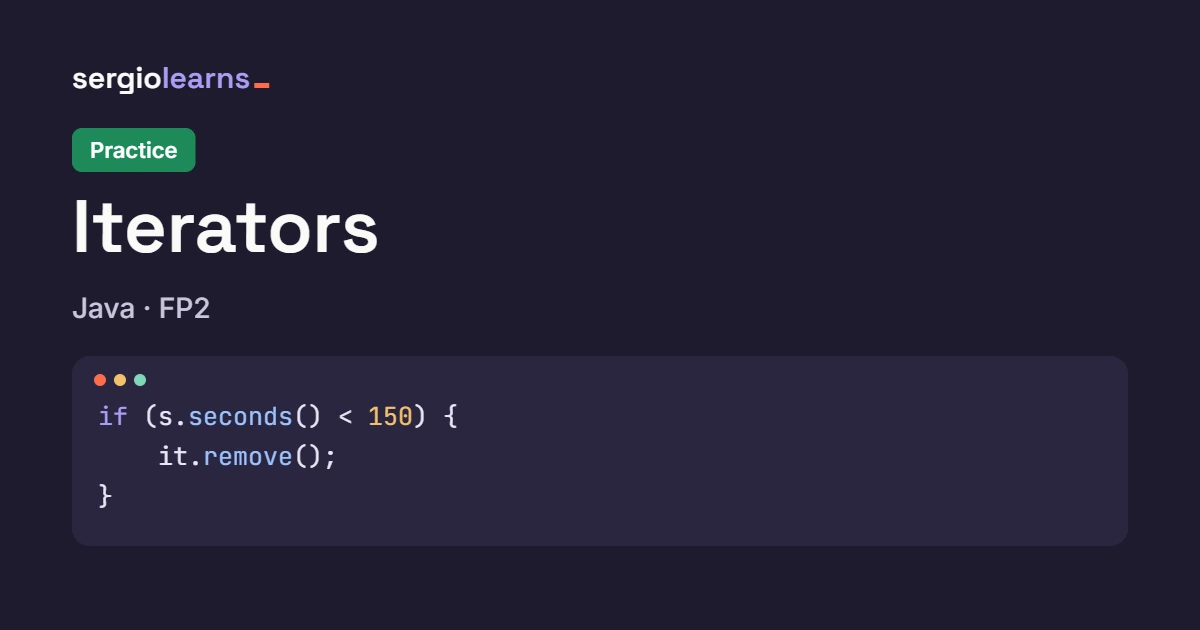
                if (c.seconds() < 150) {
                    list.remove(c);    // we modify the list outside the iterator
                }
            }
        } catch (ConcurrentModificationException e) {
            System.out.println("Hold on!: " + e.getClass().getSimpleName());
        }
        System.out.println("Left: " + list);
    }
}
When the for-each starts, the list hands it an iterator. Inside, an ArrayList keeps count of how many times its structure has been modified (a counter called modCount), and the iterator notes that counter down when it starts. On every next() it checks that it hasn’t changed. I called list.remove(c) on my own, the counter changed, and the iterator, seeing that its count no longer matched the list’s, threw ConcurrentModificationException on the next next(). It’s not that the delete failed: Java simply prefers to stop rather than carry on with a traversal that can no longer be trusted.
The correct way to delete is to ask the iterator: it knows what it has returned and, when it deletes, it updates its own count so it doesn’t get upset.
import java.util.ArrayList;
import java.util.Iterator;
import java.util.List;

public class RemoveSongs {
    public static void main(String[] args) {
        List<Song> list = new ArrayList<>(List.of(
                new Song("Dawn", 215), new Song("Lighthouse", 135),
                new Song("Highway", 180), new Song("Tide", 200)));

        Iterator<Song> it = list.iterator();
        while (it.hasNext()) {
            Song c = it.next();
            if (c.seconds() < 150) {
                it.remove();            // removes the last song that next() returned
            }
        }
        System.out.println("Left: " + list);

        Iterator<Song> other = list.iterator();
        try {
            other.remove();              // we haven't called next() yet!
        } catch (IllegalStateException e) {
            System.out.println("remove() without next(): " + e.getClass().getSimpleName());
        }
    }
}
Left: [Dawn (3:35), Highway (3:00), Tide (3:20)]
remove() without next(): IllegalStateException
The rules of remove():
- It deletes the element returned by **the last call to
next()**. That’s why it goes right after it, normally inside anif. - It can only be called **once per
next()**. Tworemove()calls in a row, or one before the firstnext(), throwIllegalStateException(the second part of the program). - It’s an optional operation: immutable lists (like those from
List.of(...)) throwUnsupportedOperationExceptionif you try to delete. That’s why the program usesnew ArrayList<>(List.of(...)), which can be modified.
Modifying the collection (with the list’s own add or remove) while you traverse it with a for-each or an iterator. The right thing is it.remove(). To add while you traverse, you’ll need a ListIterator, which you’ll see below.
If you only want to delete based on a condition, there is a shortcut that already does all this inside: list.removeIf(s -> s.seconds() < 150). You’ll see it working in the practice.
Creating your own Iterable
This is the part that takes the most effort and pays the most. If your class stores things, you can make it work in a for-each with just two ingredients: it must **implement Iterable**, and its iterator() method must return an object that knows how to traverse it. A hand-made playlist with an array:
import java.util.Iterator;
import java.util.NoSuchElementException;

public class Playlist implements Iterable<Song> {
    private final Song[] songs = new Song[10];
    private int total = 0;

    public void add(Song c) {
        songs[total++] = c;
    }

    @Override
    public Iterator<Song> iterator() {
        return new PlaylistIterator();
    }

    private class PlaylistIterator implements Iterator<Song> {
        private int position = 0;                  // the cursor of this traversal

        @Override
        public boolean hasNext() {
            return position < total;
        }

        @Override
        public Song next() {
            if (!hasNext()) {
                throw new NoSuchElementException();
            }
            return songs[position++];
        }
    }
}
Three pieces:
implements Iterable<Song>: the label that tells thefor-each“I can be traversed”.iterator()returns a newPlaylistIteratorobject: each traversal has its own cursor (position).PlaylistIteratoris an inner class (declared insidePlaylist, withoutstatic): that’s why it can seesongsandtotalof the playlist that created it, without you passing them in.
Notice too that next() checks hasNext() and throws NoSuchElementException if no songs are left: that’s what the interface’s contract promises. And now, the nice part:
public class MyPlaylist {
    public static void main(String[] args) {
        Playlist list = new Playlist();
        list.add(new Song("Dawn", 215));
        list.add(new Song("Highway", 180));
        list.add(new Song("Tide", 200));

        for (Song c : list) {
            System.out.println(c);
        }
    }
}
Dawn (3:35)
Highway (3:00)
Tide (3:20)
A class made by me, in a for-each just like any Java list. I haven’t written any index loop outside the class: whoever uses Playlist doesn’t need to know there’s an array inside.
Storing the iterator in an attribute and always returning that same object from iterator(). The second for-each finds the cursor already at the end and traverses nothing. Every call to iterator() has to create a new iterator.
ListIterator: back and forth
Iterator only moves forward. Lists offer an improved version, ListIterator, which you get with list.listIterator() and which lets you go backwards, know which position the cursor is at, and modify the list while you traverse:
| Method | What it does |
|---|---|
hasPrevious() / previous() | Like hasNext() / next(), but backwards |
nextIndex() / previousIndex() | Position of the element next() / previous() would return |
set(x) | Replaces the last element returned by next() or previous() |
add(x) | Inserts x right where the cursor is |
And its behaviour is easier to understand with the cursor “between songs” that we talked about:
import java.util.List;
import java.util.ListIterator;

public class BackAndForth {
    public static void main(String[] args) {
        List<Song> list = List.of(
                new Song("Dawn", 215), new Song("Highway", 180), new Song("Lighthouse", 135));
        ListIterator<Song> it = list.listIterator();

        System.out.println("next()     -> " + it.next());
        System.out.println("next()     -> " + it.next());
        System.out.println("previous() -> " + it.previous());
        System.out.println("next()     -> " + it.next());
        System.out.println("nextIndex: " + it.nextIndex() + ", previousIndex: " + it.previousIndex());
    }
}
next()     -> Dawn (3:35)
next()     -> Highway (3:00)
previous() -> Highway (3:00)
next()     -> Highway (3:00)
nextIndex: 2, previousIndex: 1
After two next() calls, the cursor is between Highway and Lighthouse. previous() jumps backwards over Highway and returns it; the next next() returns it again, because the cursor was left right before it. That’s why nextIndex() is 2 and previousIndex() is 1 at the end. The most interesting uses (modifying and adding) are in the practice.
ListIterator exists only for lists. Other collections (sets, for example) have Iterator, because “backwards” makes no sense in them: there are no positions.
Typical mistakes at a glance
ConcurrentModificationException. You modified the collection outside the iterator while traversing it. Use it.remove().
NoSuchElementException. You called next() without checking hasNext(), or twice in the same iteration.
IllegalStateException when deleting. remove() before the first next(), or two remove() calls in a row without a next() in between.
Always returning the same iterator from iterator(). Each traversal needs its own.
Mixing up Iterable (the collection) with Iterator (the cursor). The for-each asks for an Iterable.
Watch it step by step in Python Tutor
An iterator is an object with a position variable, and that position is exactly what’s hard to picture. Python Tutor runs the code line by line and draws variables, objects and references. Choose Java, paste the program and press Visualize Execution. Here’s a “homemade” iterator with the same methods as Java’s, so you can watch its cursor move and check that two iterators over the same array don’t step on each other:
public class Tutor {
    static class Cursor {
        private final String[] data;
        private int position = 0;

        Cursor(String[] data) { this.data = data; }

        boolean hasNext() { return position < data.length; }

        String next() { return data[position++]; }
    }

    public static void main(String[] args) {
        String[] titles = {"Dawn", "Highway", "Lighthouse"};
        Cursor it = new Cursor(titles);
        Cursor other = new Cursor(titles);

        System.out.println("it   -> " + it.next());
        System.out.println("it   -> " + it.next());
        System.out.println("other -> " + other.next());
        while (it.hasNext()) {
            System.out.println("it   -> " + it.next());
        }
    }
}
Expected output:
it   -> Dawn
it   -> Highway
other -> Dawn
it   -> Lighthouse
What to watch, step by step:
- After creating
itandother, you’ll see one array with three titles and twoCursorobjects. Both point to the same array and havepositionequal to 0. - With the first two calls to
it.next(), thepositionofitgoes from 0 to 1 and then to 2. Eachnext()returns the element that was there before the increment. - In
other.next()notice that only thepositionofotherchanges (it goes to 1). The cursor ofitstays at 2: each iterator keeps its own position. - In the
while,it.hasNext()istruebecause 2 < 3. After the lastnext(),positionis 3 andhasNext()turnsfalse: that’s how the loop ends.
Summary and quick table
| I want to… | I write | Detail |
|---|---|---|
| Traverse without indexes | for (Song s : list) | Works with anything that is Iterable |
| Traverse by hand | Iterator<Song> it = list.iterator(); | With while (it.hasNext()) |
| Move to the next element | Song s = it.next(); | One call per iteration |
| Delete while traversing | it.remove(); | After next(), once per next() |
| Delete by a condition | list.removeIf(condition) | Shortcut, it already does it inside |
Make my class work in a for-each | implements Iterable<T> | And iterator() returns a new iterator |
| Go back and forth in a list | ListIterator<T> it = list.listIterator(); | previous(), set(), add() |
Three ideas to take with you:
- **The
for-eachis anIteratorin disguise:** it asks theIterablefor an iterator and repeatshasNext()/next(). - **To delete while you traverse, do it with
it.remove()**, not with the list: otherwise,ConcurrentModificationException. - **An
Iterablemakes new iterators:** every traversal gets its own cursor, and that’s why your own class can be used in afor-each.
And now, let’s practise
That completes the theory. In the iterators practice we delete songs without an exception, build a linked list of our own that works in a for-each, and walk a playlist in both directions with ListIterator. And if you want to review the previous topic first, go back to the Comparable and Cloneable theory.
Did this article help you? Here is how you can support SergioLearns →

One Comment