Collections in Java — exercises with authors, catalogs and a merge of two libraries (and the “b” that was in the map but never showed up)
I counted the letters of a title with a Map<Character, Integer>, printed the map and there they all were, plain as day, including the b. Then I asked the map how many bs it had with letters.get("b") and it answered null. No error, no warning, nothing. I checked the counting loop three times before realizing the problem wasn’t in what I was storing, but in what I was asking for: the keys were char, and I was looking for a String.
Collections have a handful of traps like that, silent and perfectly compilable. Today we practise with three programs of increasing difficulty (the last one, a merge of two libraries), three fragments to debug and a cheat sheet to take away.
These exercises use the collections theory and review what’s in the practice. You can do them without those, but it will be harder.
Table of Contents
How to use this article
- Read the statement of a level and don’t look at the solution yet.
- Write your version, compile it and compare your output with the expected one.
- If you get stuck, look only at the 🔵 hint and try again.
- When you finish, compare with the solution and notice why it’s done that way, not just that it gives the same output.
No exercise uses Scanner. The data is fixed in the code so that your output is identical to the expected one and you can check it at a glance.
Level 1 · Basic: three collections for the same library
Statement. Use this record to represent the books (a record is a data class with a constructor, getters, equals() and hashCode() already written):
public record Book(String isbn, String title, String author) {
    @Override
    public String toString() {
        return title + " (" + author + ")";
    }
}
In a class N1 with a main, create a list with these eight books:
| ISBN | Title | Author |
|---|---|---|
| L-101 | Dune | Herbert |
| L-102 | Emma | Austen |
| L-103 | Hamlet | Shakespeare |
| L-104 | Macbeth | Shakespeare |
| L-105 | Rebecca | du Maurier |
| L-106 | Misery | King |
| L-107 | Carrie | King |
| L-108 | It | King |
Traverse it just once and, during that traversal, fill (a) a set with the distinct authors, displayed sorted, and (b) a map that lets you find each book by its ISBN. Then print the number of books in the list, the authors, and look up two ISBNs: L-103, which exists, and L-999, which doesn’t.
Expected output:
Books in the list: 8
Distinct authors (sorted): [Austen, Herbert, King, Shakespeare, du Maurier]
L-103 -> Hamlet (Shakespeare)
L-999 -> does not exist
For the set to come out sorted, choose the right flavor of Set (which one sorts?). For the map, the key is the ISBN and the value is the whole Book. Before asking for a value with get, check with containsKey whether the key exists: that way you avoid printing null.
Level 2 · Intermediate: group the books by author
Statement. With the same eight books, build in N2 a map author → list of titles. The authors must come out in alphabetical order and each author’s titles in the order they appear in the original list. Print one line per author and, at the end, the author with the most books and how many they have.
Expected output:
Austen: [Emma]
Herbert: [Dune]
King: [Misery, Carrie, It]
Shakespeare: [Hamlet, Macbeth]
du Maurier: [Rebecca]
Most books: King (3)
The map’s value is a List<String>, and the first time you see an author that list doesn’t exist yet. To create it only when needed there’s a Map method that does it in one line: computeIfAbsent(key, k -> new ArrayList<>()) gives you the list (creating it if it’s new) and then you do .add(...). For the maximum, traverse entrySet() keeping the best one seen so far.
Level 3 · Challenge: merging two libraries
Statement. Two libraries keep their inventory as a Map<String, Integer> (ISBN → copies). Write a class Merger with four static methods:
combine(a, b): returns a map sorted by ISBN with the sum of copies from both libraries.inCommon(a, b): the sorted set of ISBNs that are in both.onlyIn(a, b): the sorted set of ISBNs that are inabut not inb.total(m): the sum of all the copies in a map.
None of the methods may modify the maps it receives. To test your class, use this main (class N3):
import java.util.HashMap;
import java.util.Map;

public class N3 {
    public static void main(String[] args) {
        Map<String, Integer> central = new HashMap<>();   // ISBN -> copies
        central.put("L-101", 3);
        central.put("L-102", 1);
        central.put("L-103", 2);
        central.put("L-105", 1);

        Map<String, Integer> local = new HashMap<>();
        local.put("L-102", 2);
        local.put("L-103", 1);
        local.put("L-104", 4);
        local.put("L-107", 1);

        System.out.println("Combined:     " + Merger.combine(central, local));
        System.out.println("In common:    " + Merger.inCommon(central, local));
        System.out.println("Only central: " + Merger.onlyIn(central, local));
        System.out.println("Only local:   " + Merger.onlyIn(local, central));
        System.out.println("Copies in total: " + Merger.total(Merger.combine(central, local)));
        System.out.println("The central one is unchanged: " + central);
    }
}
Expected output:
Combined:     {L-101=3, L-102=3, L-103=3, L-104=4, L-105=1, L-107=1}
In common:    [L-102, L-103]
Only central: [L-101, L-105]
Only local:   [L-104, L-107]
Copies in total: 15
The central one is unchanged: {L-105=1, L-101=3, L-102=1, L-103=2}
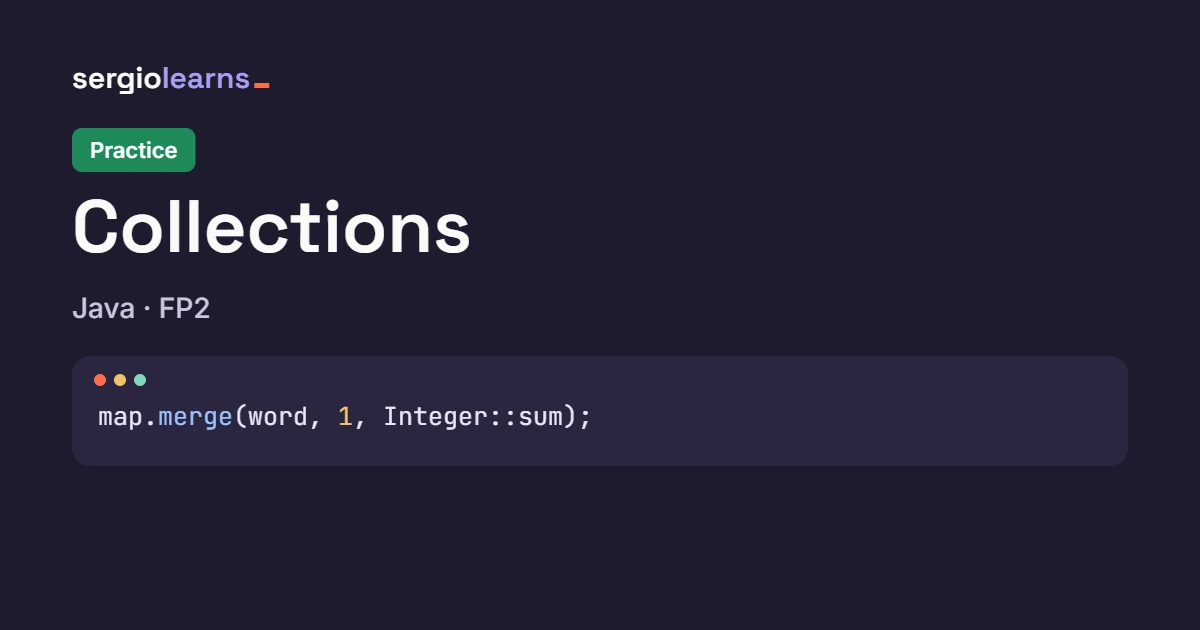
keySet() doesn’t return a copy but a view of the map: if you remove elements from the set, you remove them from the map. Make a copy before modifying anything: new TreeSet<>(a.keySet()). For “in common” and “only in” you don’t need loops: retainAll and removeAll do the intersection and the difference. To add up, merge(key, value, Integer::sum).
What’s wrong here?
Three fragments with one bug each. Before reading the explanation, do two things: predict whether it compiles and, if it does, what it prints (or what happens when you run it).
Fragment 1
F1.java
import java.util.ArrayList;
import java.util.List;

public class F1 {
    public static void main(String[] args) {
        // Member numbers with an overdue loan
        List<Integer> members = new ArrayList<>(List.of(10, 20, 30, 1));
        members.remove(1);   // I want to remove member number 1
        System.out.println("Members: " + members);
    }
}
Think about it before moving on: does it compile? what does it print? I want to remove member number 1.
Explanation. It compiles and runs without errors, but it removes the wrong member:
Members: [10, 30, 1]
List has two remove methods: remove(int index), which deletes by position, and remove(Object o), which deletes by value. With a List<Integer>, the call members.remove(1) passes an int literal and Java picks the first one: it removes the element at position 1, which is the 20. The 1 you wanted to remove is still there.
Calling remove(n) on a List<Integer> expecting to delete by value. If the argument is an int, Java understands position. It gives no warning, throws no exception: it simply deletes something else.
Fix. For Java to understand “by value”, pass it an Integer (an object), not an int:
// Member numbers with an overdue loan
List<Integer> members = new ArrayList<>(List.of(10, 20, 30, 1));
members.remove(Integer.valueOf(1));   // by value: removes member number 1
System.out.println("Members: " + members);
Members: [10, 20, 30]
With List<Integer>, always be clear on whether you want to remove by position (remove(2)) or by value (remove(Integer.valueOf(2))). With lists of String or other objects there’s no doubt: remove("Dune") is always by value.
Fragment 2
F2.java
import java.util.HashMap;
import java.util.Map;

public class F2 {
    public static void main(String[] args) {
        String title = "Macbeth";
        Map<Character, Integer> letters = new HashMap<>();
        for (char c : title.toCharArray()) {
            letters.merge(c, 1, Integer::sum);
        }
        System.out.println("Letters of " + title + ": " + letters);
        System.out.println("How many 'b's does it have? " + letters.get("b"));
    }
}
*Does it compile? what does it print? The map holds the letters of Macbeth and I want to know how many bs there are.*
Explanation. It compiles and throws no exception, but the answer is false:
Letters of Macbeth: {a=1, b=1, c=1, t=1, e=1, h=1, M=1}
How many 'b's does it have? null
The map does have the b (it appears on the first line). But its keys are Characters, and letters.get("b") asks for the String "b", which is a different key. And get accepts an Object, so the compiler doesn’t complain: it simply finds nothing and returns null. The same problem shows up with containsKey, remove or contains on a Set.
Looking up in a Map or a Set with a type different from the keys’ type ("b" instead of 'b', a long instead of an int…). There’s no compile error or exception: just a null or a false you didn’t expect.
Fix. Ask with the same type as the keys ('b', a char between single quotes, which Java turns into a Character):
System.out.println("How many 'b's does it have? " + letters.get('b'));
Letters of Macbeth: {a=1, b=1, c=1, t=1, e=1, h=1, M=1}
How many 'b's does it have? 1
If the map is Map<Character, Integer>, every query takes a char with single quotes. A good habit: when a get returns null for no apparent reason, look first at the type of what you pass it.
Fragment 3
Book.java (the same record as in level 1)
F3.java
import java.util.Set;
import java.util.TreeSet;

public class F3 {
    public static void main(String[] args) {
        Set<Book> catalog = new TreeSet<>();
        try {
            catalog.add(new Book("L-101", "Dune", "Herbert"));
            catalog.add(new Book("L-102", "Emma", "Austen"));
        } catch (ClassCastException e) {
            System.out.println("Exception: " + e.getMessage());
        }
        System.out.println("Catalog: " + catalog);
    }
}
Does it compile? what does it print? I want the catalog sorted automatically.
Explanation. It compiles, but when run it fails as soon as the first book is added:
Exception: class Book cannot be cast to class java.lang.Comparable (Book is in unnamed module of loader 'app'; java.lang.Comparable is in module java.base of loader 'bootstrap')
Catalog: []
A TreeSet keeps its elements sorted, and to sort them it needs to know how to compare two Books. A record is not Comparable by default, and the compiler doesn’t warn (the set accepts any type): the failure appears at run time, as a ClassCastException. Notice that not even the first book gets added: the catalog stays empty.
Putting your own objects in a TreeSet or using them as keys of a TreeMap without them being Comparable and without giving a Comparator. It’s the same contract as in the Comparable theory, only here it’s the collection that requires it.
Fix. Give the TreeSet a Comparator that says which field to sort by:
Set<Book> catalog = new TreeSet<>(Comparator.comparing(Book::title));
catalog.add(new Book("L-101", "Dune", "Herbert"));
catalog.add(new Book("L-102", "Emma", "Austen"));
catalog.add(new Book("L-103", "Dune", "Another edition"));   // same title: the tree thinks it's a duplicate
System.out.println("Catalog: " + catalog);
Catalog: [Dune (Herbert), Emma (Austen)]
A TreeSet decides whether two elements are “the same” with the comparator, not with equals(). That’s why the third edition of Dune (same title, another author) isn’t added: for the comparator, “Dune” and “Dune” tie. Choose the sorting criterion carefully.
Solutions
Look at this section only after you’ve tried the exercise. If your code is different but gives the same output and meets the requirements, it is also a valid solution.
Level 1 solution
N1.java
import java.util.HashMap;
import java.util.List;
import java.util.Map;
import java.util.Set;
import java.util.TreeSet;

public class N1 {
    public static void main(String[] args) {
        List<Book> books = List.of(
                new Book("L-101", "Dune", "Herbert"),
                new Book("L-102", "Emma", "Austen"),
                new Book("L-103", "Hamlet", "Shakespeare"),
                new Book("L-104", "Macbeth", "Shakespeare"),
                new Book("L-105", "Rebecca", "du Maurier"),
                new Book("L-106", "Misery", "King"),
                new Book("L-107", "Carrie", "King"),
                new Book("L-108", "It", "King"));

        Set<String> authors = new TreeSet<>();
        Map<String, Book> byIsbn = new HashMap<>();
        for (Book l : books) {
            authors.add(l.author());       // a set doesn't keep duplicates
            byIsbn.put(l.isbn(), l);     // key: ISBN, value: the whole book
        }

        System.out.println("Books in the list: " + books.size());
        System.out.println("Distinct authors (sorted): " + authors);
        for (String isbn : new String[]{"L-103", "L-999"}) {
            if (byIsbn.containsKey(isbn)) {
                System.out.println(isbn + " -> " + byIsbn.get(isbn));
            } else {
                System.out.println(isbn + " -> does not exist");
            }
        }
    }
}
Why it’s done this way:
- A single
for-eachover the list fills both collections at once: there’s no need to traverse the list twice. authorsis aTreeSet: it doesn’t keep duplicates (the threeKingbooks leave a single entry) and prints sorted. Since they areStrings, the order is the natural one, which is whydu Maurierends up last: lowercase letters come after uppercase ones.byIsbnis aHashMap<String, Book>: the key is the ISBN and the value, the whole book. Looking up by key doesn’t depend on the size of the map.containsKeybeforegetavoids printing anull.getOrDefaultwould also work, but then the “does not exist” message would have to be an inventedBook.List.of(...)creates a list that cannot be modified, which here is an advantage: nobody changes it by mistake. If you wanted to add books, it would have to benew ArrayList<>(List.of(...)).
Level 2 solution
N2.java
import java.util.ArrayList;
import java.util.List;
import java.util.Map;
import java.util.TreeMap;

public class N2 {
    public static void main(String[] args) {
        List<Book> books = List.of(
                new Book("L-101", "Dune", "Herbert"),
                new Book("L-102", "Emma", "Austen"),
                new Book("L-103", "Hamlet", "Shakespeare"),
                new Book("L-104", "Macbeth", "Shakespeare"),
                new Book("L-105", "Rebecca", "du Maurier"),
                new Book("L-106", "Misery", "King"),
                new Book("L-107", "Carrie", "King"),
                new Book("L-108", "It", "King"));

        Map<String, List<String>> byAuthor = new TreeMap<>();
        for (Book l : books) {
            byAuthor.computeIfAbsent(l.author(), k -> new ArrayList<>()).add(l.title());
        }

        String mostBooks = null;
        for (Map.Entry<String, List<String>> e : byAuthor.entrySet()) {
            System.out.println(e.getKey() + ": " + e.getValue());
            if (mostBooks == null || e.getValue().size() > byAuthor.get(mostBooks).size()) {
                mostBooks = e.getKey();
            }
        }
        System.out.println("Most books: " + mostBooks + " (" + byAuthor.get(mostBooks).size() + ")");
    }
}
Why it’s done this way:
TreeMapsorts the keys, so the authors come out alphabetically without doing anything else.computeIfAbsent(author, k -> new ArrayList<>())does three things in one: it looks up the key, creates the empty list only if it didn’t exist and returns it. The.add(...)is applied to that list, which is already inside the map.- Lists keep insertion order, so the three by
Kingcome out as in the original list:Misery, Carrie, It. - For the maximum,
mostBooksstarts asnulland is updated only if the current author has strictly more books. In a tie, the first one alphabetically would win. byAuthor.get(mostBooks).size()can be used safely becausemostBooksis a key we know exists.
Level 3 solution
Merger.java
import java.util.Map;
import java.util.Set;
import java.util.TreeMap;
import java.util.TreeSet;

public class Merger {

    public static Map<String, Integer> combine(Map<String, Integer> a, Map<String, Integer> b) {
        Map<String, Integer> result = new TreeMap<>(a);                  // copy of a, sorted
        b.forEach((isbn, n) -> result.merge(isbn, n, Integer::sum));     // adds b's
        return result;
    }

    public static Set<String> inCommon(Map<String, Integer> a, Map<String, Integer> b) {
        Set<String> common = new TreeSet<>(a.keySet());   // copy: keySet() is a "view" of a
        common.retainAll(b.keySet());
        return common;
    }

    public static Set<String> onlyIn(Map<String, Integer> a, Map<String, Integer> b) {
        Set<String> only = new TreeSet<>(a.keySet());
        only.removeAll(b.keySet());
        return only;
    }

    public static int total(Map<String, Integer> m) {
        int sum = 0;
        for (int n : m.values()) {
            sum += n;
        }
        return sum;
    }
}
Why it’s done this way:
new TreeMap<>(a)makes a copy ofa, sorted by key. That waycombinedoesn’t touch the original map.b.forEach((isbn, n) -> ...)goes through each pair ofb;mergeadds the value if the ISBN was already in the result, or creates it if not.inCommonandonlyInstart withnew TreeSet<>(a.keySet()): a copy of the keys. Without that copy,retainAllandremoveAllwould act on the view and **delete keys froma**. The last line of the output (The central one is unchanged) checks it.retainAll(b.keySet())keeps only what is also inb(intersection);removeAll(b.keySet())removes what is inb(difference).totalgoes throughvalues()with afor-each. Theint nreceives eachIntegerthrough automatic unboxing.- The numbers add up: the central library has 3+1+2+1 = 7 copies and the local one 2+1+4+1 = 8, so the total is 15.
L-102becomes 3 (1+2) and so doesL-103(2+1).
Watch it step by step in Python Tutor
The bug in fragment 1 is perfect to watch live: the difference between deleting “by position” and deleting “by value”. Go to pythontutor.com/java.html, choose Java and paste this program. It’s what the two versions of remove do, but with an array and our own methods, so you can see every step:
public class Tutor {

    static int removeByPosition(int[] a, int n, int pos) {
        for (int i = pos; i < n - 1; i++) {
            a[i] = a[i + 1];                  // each element moves back one slot
        }
        return n - 1;
    }

    static int find(int[] a, int n, int value) {
        for (int i = 0; i < n; i++) {
            if (a[i] == value) {
                return i;
            }
        }
        return -1;
    }

    public static void main(String[] args) {
        int[] members = {10, 20, 30, 1};
        int n = 4;
        n = removeByPosition(members, n, 1);   // what remove(1) does on a list of integers
        System.out.println("By position: " + members[0] + " " + members[1] + " " + members[2]);

        int[] others = {10, 20, 30, 1};
        int m = 4;
        int pos = find(others, m, 1);          // first I locate the value 1...
        m = removeByPosition(others, m, pos);   // ...and then I remove it
        System.out.println("By value:    " + others[0] + " " + others[1] + " " + others[2]);
    }
}
Expected output:
By position: 10 30 1
By value:    10 20 30
What to watch, step by step:
- The array
membersstarts as10, 20, 30, 1, withnequal to 4. The callremoveByPosition(members, n, 1)is whatremove(1)does: position 1, without looking at what value is there. - Inside the method, the loop copies
a[2]ontoa[1]and thena[3]ontoa[2]. You’ll see the20disappear, crushed by the30, and the1move back one position. - Back in
main,nis 3 and only the first three are printed:10 30 1. The1is still there: the program removed a different member from the one you wanted. - In the second part,
find(others, m, 1)first locates the value and returns its position (3). NowremoveByPositionshifts whatever comes after the1, which is nothing. Result:10 20 30. That’s whatremove(Integer.valueOf(1))does: look up by value and then delete.
Cheat sheet: Collections
The essentials in 30 seconds
- **
List**: order and duplicates;ArrayListby default. **Set: no duplicates.Map: key → value.Deque/Queue**: queues and stacks. - Declare with the interface (
List<T> x = new ArrayList<>()), build with the class. - **
HashSet/HashMap**: unordered, usehashCode()+equals(). **LinkedHash...: insertion order.Tree...**: sorted (ComparableorComparator). - **
equals()andhashCode()always together** and with the same fields (or arecord). - **A
getthat givesnull**: either the key isn’t there or you’re asking with another type. - To delete while traversing:
removeIfor the iterator, never the collection’s ownremove.
Syntax
| I want… | Code | Result |
|---|---|---|
| A list | List<Book> l = new ArrayList<>(); | Insertion order, allows duplicates |
| Remove by position / by value | l.remove(0); / l.remove(Integer.valueOf(5)); | With List<Integer>, watch the type |
| Set unordered / sorted | new HashSet<>() / new TreeSet<>() | add returns false if it was already there |
| Remove duplicates from a list | new LinkedHashSet<>(list) | Keeps the order |
| A map | Map<String, Book> m = new HashMap<>(); | put, get, containsKey |
| Value with a fallback | m.getOrDefault(k, 0) | Avoids the null |
| Count occurrences | m.merge(k, 1, Integer::sum); | Adds 1 or starts at 1 |
| Group into lists | m.computeIfAbsent(k, x -> new ArrayList<>()).add(v); | Creates the list only if missing |
| Traverse key and value | for (Map.Entry<K, V> e : m.entrySet()) | e.getKey(), e.getValue() |
| Delete by condition | m.entrySet().removeIf(e -> …); | Safe while traversing |
| Intersection / difference | a.retainAll(b); / a.removeAll(b); | On a copy, not on the original |
| Queue / stack | Deque<T> d = new ArrayDeque<>(); | offer+poll / push+pop |
| Priority queue | new PriorityQueue<>() | The smallest comes out; requires Comparable |
Templates for the exercises
Traverse once and fill two collections (Level 1):
Set<String> authors = new TreeSet<>();
Map<String, Book> byIsbn = new HashMap<>();
for (Book b : books) {
    authors.add(b.author());
    byIsbn.put(b.isbn(), b);
}
Group into lists (Level 2):
Map<String, List<String>> byAuthor = new TreeMap<>();
for (Book b : books) {
    byAuthor.computeIfAbsent(b.author(), k -> new ArrayList<>()).add(b.title());
}
Operate with sets without touching the original (Level 3):
Set<String> common = new TreeSet<>(a.keySet());   // a copy, not the view
common.retainAll(b.keySet());                      // intersection
Set<String> only = new TreeSet<>(a.keySet());
only.removeAll(b.keySet());                        // difference
The mistakes that repeat the most
| Symptom | Likely cause |
|---|---|
The HashSet has “duplicates” | equals() and hashCode() are missing, or only one of them |
An object is in the HashSet but contains gives false | You changed a field that goes into the hash after storing it |
get returns null even though the key “is there” | You’re asking with another type ("b" instead of 'b') |
NullPointerException when adding or assigning a get | The key doesn’t exist: use getOrDefault or merge |
ConcurrentModificationException | You modify the collection or map from outside while traversing it |
ClassCastException when adding to a TreeSet/TreeMap | The elements aren’t Comparable and you gave no Comparator |
remove(1) removes the wrong element | In List<Integer>, remove(int) deletes by position |
| Something gets deleted from the original map by accident | You modified a keySet()/values() (they’re views) without copying |
| The order comes out different from what you expected | A Hash... has no order: use LinkedHash... or Tree... |
Before you hand it in, ask yourself
- Have I chosen the collection by what it promises (order, duplicates, lookup by key)?
- If I use my objects as keys or in a
Set, do they have consistent **equals()andhashCode()** (or are they arecord)? - Do my queries to a
MaporSetuse the same type as the keys? - Do I delete while traversing with **
removeIfor an iterator**, and do I modify copies instead of views?
If you want to review the topic from the ground up, go back to the collections theory.
Keep goingAll Java (en) articlesDid this article help you? Here is how you can support SergioLearns →